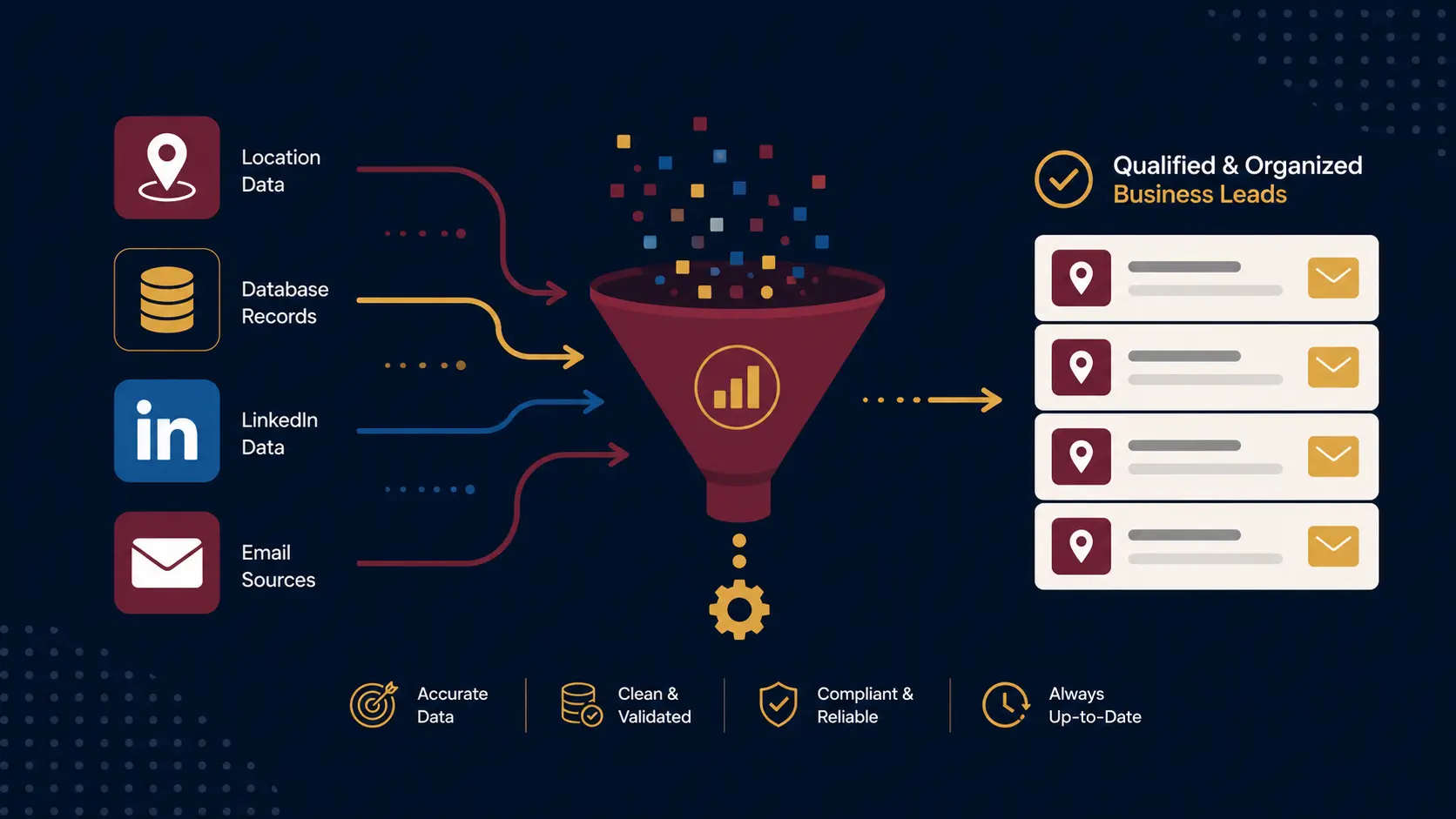
Best Lead Generation Tools for Agencies in 2026
Best Lead Generation Tools for Agencies in 2026
Agencies need reliable lead generation tools to keep pipelines full. But with so many options out there, from expensive databases to niche solutions, picking the wrong one costs you money and time you don't have.
This guide covers 7 tools in detail: how each one actually works, what it costs at each tier, which agency types it fits, and where it falls short. There's a quick-pick table at the top if you just want the answer fast, plus deeper comparison tables and stack combinations further down.
Quick-Pick: Best Tool by Agency Type
| Your situation | Best tool | Starting price |
|---|---|---|
| You prospect local service businesses | WebLeads | $24/mo |
| Small agency, outbound email focus | Apollo | $49/mo |
| Need emails from specific company domains | Hunter.io | $49/mo |
| Targeting C-suite at named accounts | RocketReach | $39/mo |
| Account-based selling via LinkedIn | LinkedIn Sales Navigator | $99/mo |
| Complex outbound with enrichment workflows | Clay | $149/mo |
| Enterprise agency, 50+ seats | ZoomInfo | $2,000+/mo |
The 7 Best Lead Generation Tools for Agencies
1. WebLeads: Best for Local Business Prospecting
Starting price: $24/month (Starter)
Data freshness: Live on every search. WebLeads queries Google Maps in real time, so results reflect businesses that exist today, not a snapshot from 18 months ago.
WebLeads searches Google Maps and returns business data: name, address, phone, website, category, and Google rating. From there it enriches results with the owner or decision maker's name, verified email address, and social profiles. There is no pre-built database. Every search is a fresh query.
This makes WebLeads fundamentally different from every other tool on this list. Static databases like Apollo and ZoomInfo carry entries for businesses that have closed, changed owners, or moved. If you're prospecting contractors, HVAC companies, dental practices, or restaurants, that stale data problem is significant. WebLeads eliminates it entirely.
Pricing tiers:
| Plan | Price | Searches/day | Results | People enrichments/mo | Email verifications/mo |
|---|---|---|---|---|---|
| Discover (Free) | $0 | 2 lifetime | 10 lifetime | 10 lifetime | 20 lifetime |
| Starter | $24/mo | 1 | 800 | 500 | 3,000 |
| Growth | $69/mo | 3 | 1,500 | 2,500 | 10,000 |
| Scale | $199/mo | 7 | 2,500 | 7,000 | 30,000 |
What it's good at:
- Finding local businesses by type and location (plumbers in Chicago, HVAC in Phoenix)
- Fresh data on every search, no stale records
- Verified emails with SMTP confirmation
- Decision maker names and contact info pulled from real sources
- Very low cost compared to enterprise alternatives
Where it falls short:
- Not useful for B2B SaaS or enterprise accounts, Google Maps won't have those
- No CRM integrations (export via CSV)
- Works best for physically-located local businesses, not remote-first companies
Who should use it: Digital agencies, marketing agencies, and solo consultants who prospect local service businesses: contractors, HVAC, plumbers, dentists, restaurants, salons, real estate agents.
Who should skip it: Agencies whose clients are SaaS companies, financial institutions, or any industry without a Google Maps presence.
See how agencies build local pipelines: marketing agency leads guide
2. Apollo.io: Best for Small Agencies
Starting price: $49/month per user
Data freshness: Static database, refreshed periodically. Individual records may be months old. Phone numbers in particular go stale quickly for smaller companies.
Apollo is the most practical all-in-one tool for agencies under 20 people. You get a B2B contact database, built-in email sequences, phone dialer, and a lightweight CRM in one subscription. The database covers 275M+ contacts with job titles, company size, tech stack, and in some cases direct dials.
What makes Apollo stand out for agencies is the workflow. You can build a list, write a sequence, and launch an outbound campaign all inside the same tab. There's no need to buy a separate email tool until you're at serious volume.
Pricing tiers:
| Plan | Price | Email credits/mo | Phone credits/mo | Sequences |
|---|---|---|---|---|
| Free | $0 | 50 | 5 | Limited |
| Basic | $49/user/mo | 1,000 | 20 | Unlimited |
| Professional | $99/user/mo | 2,000 | 100 | Unlimited + AI |
| Organization | $149/user/mo | 4,000 | 200 | Advanced |
What it's good at:
- Email sequencing with A/B testing built in
- Filtering contacts by industry, tech stack, company size, and headcount
- Exporting clean CSV lists for client deliverables
- CRM sync with HubSpot and Salesforce on paid plans
Where it falls short:
- Phone number coverage is patchy outside North America
- Data accuracy drops for smaller companies and niche industries
- The free plan has enough credits to test but not to run campaigns
Who should use it: Any agency doing outbound email, sales-focused services, or managing prospecting for clients in the SMB segment.
Who should skip it: Agencies selling to enterprise accounts who need org charts, buying signals, and 1,000+ contacts per account. ZoomInfo handles that workflow better.
3. Hunter.io: Best for Domain-Based Email Finding
Starting price: $49/month
Data freshness: Static index built by crawling the web. Email patterns are updated when Hunter's crawlers revisit a domain, which is not on a fixed schedule.
Hunter does one thing very well: it finds business email addresses when you know the company domain. Give it a domain (e.g. acme.com), and it returns all the professional emails it has indexed for that company along with a confidence score. It also has a bulk finder for uploading lists of domains.
It's not a prospecting platform. Hunter won't help you find companies to target. But if you already have a list of target companies and need verified contact emails, it's fast and accurate.
Pricing tiers:
| Plan | Price | Searches/mo | Verifications/mo |
|---|---|---|---|
| Free | $0 | 25 | 50 |
| Starter | $49/mo | 500 | 1,000 |
| Growth | $149/mo | 2,500 | 5,000 |
| Business | $499/mo | 10,000 | 20,000 |
What it's good at:
- Domain search: returns all known emails for a company
- Bulk domain lookup via CSV upload
- Email verification API for checking existing lists
- Pattern detection (identifies the email format a company uses)
Where it falls short:
- No contact discovery by title, industry, or geography
- No phone numbers at all
- Not useful if you don't already know which companies to target
Who should use it: Agencies doing content outreach, link building, or PR where you know which companies to reach but need the right contact email. Also works well as a supplement to Apollo.
Who should skip it: Agencies building lists from scratch. Hunter gives you the email if you know the company; it won't help you find the companies.
4. RocketReach: Best for Finding Individual Decision Makers
Starting price: $39/month
Data freshness: Static database, crowdsourced and vendor-updated. Data accuracy is higher than Apollo on senior contacts, but records still age between updates.
RocketReach focuses on finding verified personal contact info for specific people, not bulk company lists. You search by name + company or by role + industry, and it returns direct emails and mobile numbers with high accuracy. It has 700M+ profiles globally with strong coverage in North America and Europe.
Where RocketReach earns its place is C-suite and director-level targeting. The accuracy on senior contacts is better than Apollo, and the mobile phone coverage is stronger.
Pricing tiers:
| Plan | Price | Lookups/mo | Best for |
|---|---|---|---|
| Essentials | $39/mo | 20 | Light personal use |
| Pro | $99/mo | 100 | Regular outreach |
| Ultimate | $249/mo | 300 | Agency-level volume |
| Teams | Custom | Unlimited | Multi-seat agencies |
What it's good at:
- People search by name, title, company, or industry
- Strong coverage of mobile phone numbers for senior contacts
- CSV export for bulk outreach
- Email accuracy scores shown per contact
Where it falls short:
- 20 lookups/mo on the entry plan is not agency-viable
- Less company-level data than Apollo or ZoomInfo
- No built-in outreach sequencing
- Gets expensive at scale due to per-lookup pricing
Who should use it: Agencies doing targeted, personalised outreach to named individuals. PR agencies or anyone going after director-level contacts at specific companies.
Who should skip it: Agencies building large lists (500+ contacts/month). The pricing model does not scale well.
5. LinkedIn Sales Navigator: Best for Social Prospecting
Starting price: $99/month (Core, individual)
Data freshness: Self-reported and continuously updated by users themselves. This is the strongest data currency of any tool on this list for professional roles and company changes.
LinkedIn Sales Navigator gives you advanced search filters, saved searches, lead and account lists, and direct integration with your LinkedIn network. If your buyers are active on LinkedIn and social engagement is part of your sales process, it's worth the cost.
Job titles, companies, and career moves are more accurate here than in any third-party database because people update their own profiles. When someone changes jobs, LinkedIn usually reflects it within days; Apollo might carry the old role for months.
Pricing tiers:
| Plan | Price | Users | Key features |
|---|---|---|---|
| Core | $99/mo | 1 | Advanced search, 50 InMails/mo |
| Advanced | $179/mo | 1 | TeamLink, account engagement alerts |
| Advanced Plus | ~$1,600+/mo | Multiple | CRM sync, bulk CSV export |
What it's good at:
- Filtering by role, seniority, company size, industry, geography, and LinkedIn activity
- Seeing who has engaged with your content recently
- Warm outreach via InMail with higher response rates than cold email
- Account-based tracking: follow accounts and get notified on role changes
- Recent job changes as outreach triggers
Where it falls short:
- You can't export email addresses. All outreach goes through LinkedIn messaging or InMail
- InMail is rate-limited to 50/mo on Core
- LinkedIn connection requests from new accounts get restricted quickly
- No phone numbers
- Expensive per user for team-size agencies
Who should use it: Agencies whose clients sell to other businesses via relationship-led sales, especially in professional services, SaaS, consulting, or finance.
Who should skip it: Agencies doing high-volume cold email. LinkedIn's limits make it impractical as a primary outbound channel at scale.
6. Clay: Best for Technical Enrichment Workflows
Starting price: $149/month
Data freshness: Depends on the underlying providers. Clay's waterfall approach improves coverage significantly, but freshness varies by source. More recent on average than single-source tools, but not live.
Clay is a data enrichment platform, not a prospecting database. You bring your own list (from Apollo, LinkedIn, a CSV), then run it through Clay's 50+ enrichment waterfall to add emails, phone numbers, company data, technographics, and AI-generated personalisation at scale.
Clay replaced the role Clearbit used to fill. Clearbit was acquired by HubSpot in 2023 and is no longer sold as a standalone product. The difference with Clay is that it routes through multiple providers simultaneously: if one source doesn't have an email, it tries the next. Hit rates are meaningfully higher than single-source enrichment.
Pricing tiers:
| Plan | Price | Credits/mo | Best for |
|---|---|---|---|
| Starter | $149/mo | 2,000 | Small teams, testing |
| Explorer | $349/mo | 10,000 | Regular campaigns |
| Pro | $800/mo | 50,000 | Agency-level volume |
| Enterprise | Custom | Unlimited | Full-scale ops |
What it's good at:
- Waterfall enrichment across 50+ data providers (one purchase, multiple sources)
- AI columns for writing personalised first lines or categorising companies
- No-code workflow builder for automated list building
- Intent data and technographic enrichment
- Higher email find rates than single-source tools
Where it falls short:
- Steep learning curve, not beginner-friendly
- Credits get consumed fast on large lists without careful setup
- Not a prospecting tool on its own; you need a source list first
- Overkill for agencies without someone who will build and maintain the workflows
Who should use it: Agencies with a technical team member or dedicated ops hire, running 1,000+ contacts/month and needing personalisation at scale.
Who should skip it: Agencies just starting outbound who haven't nailed the basics. Start with Apollo, add Clay later.
7. ZoomInfo: Best for Enterprise Agencies
Starting price: ~$2,000/month (annual contract required)
Data freshness: Frequently updated static database, with dedicated data teams verifying records. Still a snapshot, not live. More accurate than Apollo on enterprise accounts; weaker on SMBs.
ZoomInfo is the market leader for enterprise-grade B2B data. The database covers 700M+ contacts with deep firmographic data, org charts, buying intent signals, and direct dial phone numbers. It's the tool large agencies use when their clients need account-level intelligence rather than simple contact lists.
The gap between ZoomInfo and everything else is data depth. You can see who reports to whom, which accounts have been researching specific topics in the last 30 days (intent), and which contacts have changed jobs recently. For enterprise ABM campaigns, that detail matters.
Pricing tiers:
| Plan | Approx. monthly cost | Best for |
|---|---|---|
| Professional | ~$2,000 | Small enterprise teams |
| Advanced | ~$5,000-$8,000 | Full ABM + intent data |
| Elite | $10,000+ | Large teams, API access |
Note: ZoomInfo does not publish pricing publicly. All figures are based on widely reported market rates and can vary by negotiation.
What it's good at:
- Org charts and reporting structures within target accounts
- Intent data showing accounts actively researching your category
- Native Salesforce and HubSpot integrations
- Data accuracy for Fortune 500 and mid-market companies
- Dedicated customer success and onboarding
Where it falls short:
- Minimum spend is $2,000/mo with annual lock-in
- Implementation takes weeks, not hours
- SMB data quality is noticeably weaker
- Overkill for any agency under 20 people
Who should use it: Agencies with 50+ people, dedicated ops staff, and enterprise clients in SaaS, finance, healthcare, or manufacturing.
Who should skip it: Any agency under $1M ARR. The price floor alone will eat your margin on most deals.
Looking for Cost-Effective Leads?
Get fresh business leads from Google Maps with verified emails and phone numbers. Perfect for agencies serving local clients.
Try WebLeads freeTrial · No sales call · Cancel anytime
Full Feature Comparison
| Feature | WebLeads | Apollo | Hunter | RocketReach | LinkedIn SN | Clay | ZoomInfo |
|---|---|---|---|---|---|---|---|
| Contact database | Google Maps (live) | 275M | 200M+ | 700M+ | 1B+ (LinkedIn) | Via providers | 700M |
| Data freshness | Live (every search) | Static, periodic | Static, periodic | Static, periodic | Live (self-reported) | Varies by source | Static, frequent updates |
| Email finding | Yes (SMTP verified) | Yes | Yes | Yes | No | Yes (waterfall) | Yes |
| Phone numbers | Yes | Limited | No | Yes | No | Via providers | Extensive |
| Outreach sequences | No | Built-in | No | No | InMail only | No | No |
| Company intelligence | Basic | Basic | No | Basic | Good | Advanced | Advanced |
| Intent data | No | No | No | No | Partial | Yes (via providers) | Yes |
| CRM integration | CSV export | HubSpot, SF | HubSpot, SF | HubSpot | HubSpot, SF | Zapier/API | HubSpot, SF |
| Local business data | Strong | Weak | No | Weak | No | No | Weak |
| Free plan | Yes | Yes | Yes | No | No | No | No |
| Contract required | No | No | No | No | No | No | Yes (annual) |
| Setup difficulty | Easy | Easy | Easy | Easy | Easy | Hard | Hard |
Pricing vs. Value by Agency Size
| Agency size | Recommended stack | Monthly cost | What you get |
|---|---|---|---|
| Solo / freelancer | WebLeads Starter | $24 | Local leads with verified emails |
| Small agency (2-5 people, local clients) | WebLeads Growth | $69 | Fresh local leads, higher volume |
| Small agency (2-5 people, B2B focus) | Apollo Basic | $49 | Contact database + sequences |
| Mid-size agency (6-20 people) | Apollo Pro + Hunter Growth | ~$250-$350 | Scale + supplemental email finding |
| High-volume outbound shop | Apollo + Clay Explorer | ~$500 | Database + enrichment waterfall |
| Enterprise agency (50+ people) | ZoomInfo Advanced + Clay Pro | $5,000-$9,000 | Full ABM with enrichment workflows |
Stack Combinations That Actually Work
Stack 1: Prospecting local service clients (~$54-$166/mo)
| Tool | Role | Cost |
|---|---|---|
| WebLeads Starter or Growth | Find local businesses with live, verified contacts | $24-$69/mo |
| Email platform (Lemlist, Instantly) | Send campaigns | $30-$97/mo |
| Total | ~$54-$166/mo |
The right setup if your clients are in home services, restaurants, retail, or any geography-based vertical. WebLeads data is more accurate for that segment than anything Apollo or ZoomInfo carries for local businesses.
Stack 2: Small agency, all-in-one (~$49/mo)
| Tool | Role | Cost |
|---|---|---|
| Apollo Basic | Find contacts + run sequences | $49/mo |
| Total | ~$49/mo |
Start here if you're doing outbound for the first time and your clients are in B2B. One tool, one login, one credit card.
Stack 3: Growing agency, higher volume (~$300-$350/mo)
| Tool | Role | Cost |
|---|---|---|
| Apollo Professional | Primary database + sequences | $99/mo |
| Hunter Growth | Supplement email finding for specific domains | $149/mo |
| Email platform | Deliverability management | $50-$100/mo |
| Total | ~$298-$348/mo |
Good for agencies running campaigns for multiple clients and sending 500+ emails/month.
Stack 4: Technical outbound shop (~$545-$600/mo)
| Tool | Role | Cost |
|---|---|---|
| Apollo Professional | Source list building | $99/mo |
| Clay Explorer | Enrichment waterfall + AI personalisation | $349/mo |
| Email platform with inbox rotation | High-volume sending | $97-$150/mo |
| Total | ~$545-$598/mo |
For agencies with a technical hire running personalised outbound at 1,000+ contacts/month.
Stack 5: Enterprise agency ($6,000-$9,300+/mo)
| Tool | Role | Cost |
|---|---|---|
| ZoomInfo Advanced | Primary database, intent, org charts | ~$5,000-$8,000/mo |
| Clay Pro | Enrichment and workflow automation | $800/mo |
| LinkedIn Sales Navigator | Social prospecting layer | $250-$500/mo |
| Total | ~$6,050-$9,300/mo |
For 50+ person agencies with dedicated RevOps, enterprise clients, and a Salesforce instance.
What to Watch Out For
Stale database data costs you more than you think. Apollo, ZoomInfo, and RocketReach are all static databases. Records get stale between update cycles, which can be months apart. For local and SMB prospecting in particular, this matters: businesses close, owners change, phone numbers get reassigned. If you're sending outreach at scale, a 10-15% stale data rate means your bounce rates hurt deliverability. Tools that verify against live sources (WebLeads via Google Maps, Hunter via SMTP) address this directly.
Long contracts on tools you haven't tested. ZoomInfo requires annual contracts. Don't sign one until you've run a proper pilot. Ask for a 30-day trial or quarterly pilot before committing.
Credits that expire. Apollo, Hunter, and Clay all use credit systems. Monthly credits that don't roll over mean unused capacity disappears every billing cycle. Check the rollover policy before buying.
One tool for everything. Agencies that overspend usually bought one expensive platform expecting it to solve everything. It rarely does. A $100/mo Apollo subscription plus a $24/mo WebLeads subscription will outperform a $2,000/mo ZoomInfo subscription for most agencies serving mid-market and below.
Frequently Asked Questions
What's the best free lead generation tool for agencies?
Apollo's free plan gives you 50 email credits and 5 phone credits per month, enough to test the product but not to run campaigns at any scale. WebLeads also has a free plan with 2 lifetime searches and 10 results. For actual outreach volume, you'll need a paid tier on any tool.
Is ZoomInfo worth it for a small agency?
Usually not. The minimum spend is around $2,000/month with an annual contract. For a 5-person agency, Apollo at $49/user/month covers most of the same ground at a fraction of the cost. ZoomInfo starts making sense when you have dedicated ops, enterprise clients, and the infrastructure to actually use intent data and org charts.
What tool is best for agencies that prospect local service businesses?
WebLeads. It's the only tool on this list built specifically for local business prospecting via Google Maps. Apollo and ZoomInfo carry local business data, but it's often incomplete or outdated because their databases don't refresh in real time. WebLeads pulls fresh results on every search, which matters when you're prospecting roofing companies, HVAC contractors, or dental practices.
How stale is the data in Apollo and ZoomInfo?
It varies. ZoomInfo has a dedicated data team and updates records more frequently than most competitors, but individual records can still be 3-6 months old. Apollo is similar. Phone numbers go stale the fastest; emails are more stable. For local business prospecting, the stale data problem is worse because businesses in trades and services have higher churn rates than enterprise companies. That's the core reason WebLeads exists.
Can I use multiple tools together?
Yes, and most agencies do. A common setup is Apollo for database access and sequences, Hunter for supplemental email finding, and WebLeads for any clients in local services. The tools address different parts of the problem and don't significantly overlap.
How important is email verification?
Very. Sending unverified emails hurts deliverability, gets domains flagged as spam, and lowers open rates on future campaigns. Hunter and WebLeads both do direct SMTP verification, confirming the mailbox actually exists. Apollo uses pattern-matching and third-party data, which is less precise but sufficient for most campaigns.
The Bottom Line
For agencies prospecting local service businesses, start with WebLeads at $24/mo. The data quality for that segment is significantly better than any static database because it's live.
For agencies in B2B, the practical starting point is Apollo at $49/mo. You get data, sequences, and basic analytics in one place with no annual contract.
Upgrade only when you've hit the limits of your current stack. Most small agencies never need to spend more than $200/mo total on lead data. The expensive tools become worth it when you have the volume and the operational infrastructure to actually use what they provide.
Save ZoomInfo for when you have the revenue to justify a $2,000/mo floor and a dedicated person to run it.
Read more on building a cost-efficient prospecting stack: how to generate leads for digital agencies.
Looking for Cost-Effective Leads?
Get fresh business leads from Google Maps with verified emails and phone numbers. Perfect for agencies serving local clients.
Try WebLeads freeTrial · No sales call · Cancel anytime