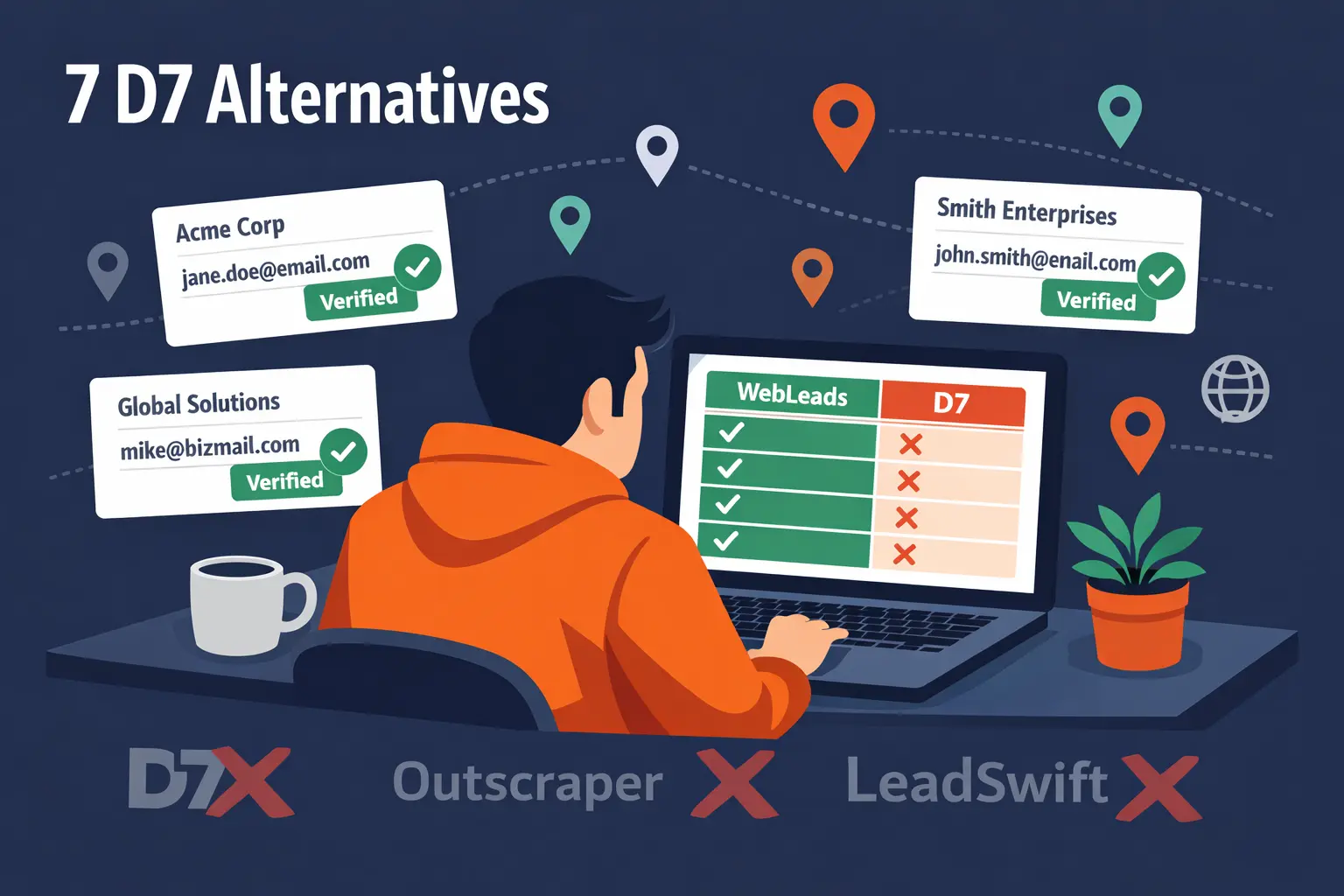
7 D7 Lead Finder Alternatives Compared (2026)
7 D7 Lead Finder Alternatives Compared (2026)
D7 Lead Finder helps you find business leads fast. But if you're looking for something different, you have options.
This guide compares D7 with seven real alternatives. We'll look at pricing, features, data quality, and what each tool does best. By the end, you'll know which platform matches your workflow.
Quick Comparison Table
| Tool | Starting Price | Data Source | Decision Makers | Email Verification | Best For |
|---|---|---|---|---|---|
| WebLeads | $24/mo | Google Maps + online directories (fresh) | Yes, with verified emails | Built-in SMTP | Agencies doing cold outreach |
| LeadSwift | $24.99/mo | Maps + Yelp | Names only, no roles | Third-party integration | Businesses + email automation |
| Outscraper | $2.85/1k leads | Google Maps | Generic contacts, no roles | Paid add-on | Developers + API-first users |
| Scrap.io | $35/mo | Google Maps (fresh) | No | No | Enterprise needs + GDPR |
| Lead Scrape | $97/year | 3-7 sources (desktop app) | No | No | One-time cost, high volume |
| Coldlytics | $0-$599/mo | Voyager DB (B2B) | No | Per credit ($0.59-0.99) | Credit-based verified contacts |
| Map Lead Scraper | $19.90/mo | Google Maps | No | No | Budget-conscious solo users |
1. WebLeads
Best for: Agencies and freelancers doing cold email outreach to local businesses.
What Makes WebLeads Different
WebLeads finds business data from Google Maps and online directories and enriches it with decision maker information. The key differentiator: decision makers come with verified professional emails, names, and job titles.
Example result: You search for "plumbers in Austin, TX." You get the business, phone number, reviews, AND the owner's name + verified email + role (Owner). Ready to contact.
Pricing
| Plan | Price/mo | Daily Searches | Results/Search | People Enrichments/mo | Email Verifications/mo |
|---|---|---|---|---|---|
| Starter | $24 | 1 | 800 | 500 | 3,000 |
| Growth | $69 | 3 | 1,500 | 2,500 | 10,000 |
| Scale | $199 | 7 | 2,500 | 7,000 | 30,000 |
Trial: 2 lifetime searches, 100 people enrichments, 200 email verifications.
Key Features
- → Real-time Maps and directory data - Not a stale database. Data refreshes on every search.
- → Decision maker discovery - Finds owner/manager names, roles, professional emails
- → SMTP email verification - Verifies emails in-platform. No third-party integration needed.
- → Map radius search - Draw your search area on a map. Find leads in desired zones.
- → Direct decision maker contact - Skip the generic info@ emails
Strengths
- ✅ Fresh data every time - Database decay is a real problem with traditional tools. WebLeads collects live data.
- ✅ Verified decision maker emails - Most competitors show you a contact name but not verified email. WebLeads does both.
- ✅ Simple quota system - You know exactly what you get per month. No surprise bills.
- ✅ Built-in verification - Email verification happens within the platform. SMTP checked, no bounces.
Weaknesses
- ❌ Limited to Google Maps - If a business has no website, you can't get decision maker emails. Basic info only.
- ❌ Smaller scale - The Scale plan maxes at 7 searches/day. Enterprise teams may need more.
- ❌ Newer product - Fewer integrations and case studies than established competitors.
Who Should Use WebLeads
- → Web designers cold emailing local prospects
- → Freelance SEO consultants building prospect lists
- → Agencies searching specific niches + locations daily
- → Anyone wanting fresh data + verified decision maker emails in one tool
2. LeadSwift
Best for: Agencies needing automation and broad data sources.
What LeadSwift Does
LeadSwift scrapes business data from Google Maps, Yellow Pages, Bing, Facebook, and LinkedIn. It pulls business contact info and employee names/titles. Built-in email sequencing for automation.
Pricing
Monthly (with 50% launch discount active):
- Starter: $24.99/mo (2 searches/day, unlimited results)
- Professional: $49.99/mo (5 searches/day, unlimited results)
- Agency: $99.99/mo (20 searches/day, unlimited results)
Annual (save 2+ months):
- Starter: $19.99/mo
- Professional: $39.99/mo
- Agency: $79.99/mo
Email verification requires third-party integration (ZeroBounce, NeverBounce) or their own VerifySwift platform (requires setup).
Key Features
- → Multiple data sources - Google Maps, Yellow Pages, Bing, Facebook, LinkedIn
- → SEO analysis - Website audits, mobile responsiveness checks
- → Email automation - Built-in cold email sequences and follow-ups
- → Employee extraction - Names, titles, emails from LinkedIn
Strengths
- ✅ Unlimited search results - No cap per search. Find all matching results.
- ✅ Broader data sources - Beyond Maps. Yelp, LinkedIn, Facebook coverage.
- ✅ Email automation included - Run sequences directly from the platform.
- ✅ Competitive pricing - Launch discounts make early tiers attractive.
Weaknesses
- ❌ No decision maker roles - Shows first/last names only. No job titles or roles.
- ❌ Email verification not built-in - Need external tools. Adds friction.
- ❌ Results quality varies - Employee data from LinkedIn can be outdated.
- ❌ Search limits - Even the Agency plan caps at 20 searches/day.
Who Should Use LeadSwift
- → Marketing agencies wanting email automation included
- → Teams needing broad data sources (not just Maps)
- → Users on tight budgets (discounts make it affordable)
3. Outscraper
Best for: Developers and technical teams. Pay-as-you-go model.
What Outscraper Does
Outscraper is an API-first platform for scraping Google Maps data. No monthly subscription. You pay for each business record you extract, plus optional enrichments (emails, phone numbers, company insights).
Pricing
Base Google Maps Scraping:
- First 500 businesses/month: Free
- 501-100k businesses: $2.85 per 1,000
- 100k+ businesses: Volume discounts available
Optional Enrichments (à la carte):
- Emails & Contacts: $0.003/domain
- Contacts & Leads: $0.003/contact
- Email verification: Separate pricing (SMTP)
- Phone enrichment: $0.005/phone
Pre-made bundles (Cold Email Outreach Pack, Cold Calling Pack) available at ~$0.011-0.024/item.
Key Features
- → No monthly fees - Pure pay-as-you-go
- → Credits don't expire - Prepaid credits stay active
- → Full API access - Developer-friendly webhooks and integrations
- → Scalability - Can handle millions of records
- → Enrichment bundles - Pre-configured for cold email or calling
Strengths
- ✅ No subscription lock-in - Only pay for what you use
- ✅ Transparent per-unit pricing - Know the cost upfront
- ✅ Advanced features - Company insights, chain identification, etc.
- ✅ Enterprise-ready - Integrations with Zapier, HubSpot, Make
Weaknesses
- ❌ Complex pricing model - Base scraping + multiple enrichment options = hard to predict costs
- ❌ Costs add up quickly - Base ($2.85/1k) + emails ($3/1k) + contacts ($3/1k) + verification = $9+/1k
- ❌ No decision maker data - Finds generic contacts, not specific decision makers
- ❌ Requires technical setup - Better suited for developers than end users
Who Should Use Outscraper
- → Developers building in-house lead generation systems
- → Companies with variable/sporadic usage patterns
- → Teams needing programmatic access and advanced enrichments
4. Scrap.io
Best for: Enterprise teams needing GDPR compliance and advanced filtering.
What Scrap.io Does
Scrap.io extracts real time Google Maps data with advanced filtering and GDPR compliance. Focuses on enterprise use cases with detailed business profiles.
Pricing
Annual billing (cheaper):
- Basic: $35/mo (10k credits/mo, city search only)
- Professional: $69/mo (20k credits/mo, advanced fields)
- Agency: $139/mo (40k credits/mo, website data)
- Company: $350/mo (100k credits/mo, all features)
Monthly billing (more expensive):
- Basic: $49/mo
- Professional: $99/mo
- Agency: $199/mo
- Company: $499/mo
Key Features
- → Advanced filtering - Rating, reviews, claimed status, advertising pixels
- → 195 countries - Worldwide coverage
- → Website enrichment - Contact pages, social links, tech stack (Agency+)
- → GDPR compliant - Enterprise security standards
- → API access - For automation
Strengths
- ✅ Enterprise-grade security - Trusted by AXA, EDF, Deliveroo
- ✅ Powerful filtering - Go beyond basic search
- ✅ Website data - Contact pages and tech stack in higher tiers
- ✅ Global coverage - 195 countries, not just US/UK
Weaknesses
- ❌ Expensive - Entry plan is $35/mo. Scale plan is $350+/mo.
- ❌ Limited to Google Maps - No other data sources
- ❌ No decision maker data - No names, titles, or email enrichment
- ❌ Credits reset monthly - Unused credits don't roll over
Who Should Use Scrap.io
- → Enterprise teams with compliance requirements
- → Companies doing large-scale, systematic scraping
- → Organizations needing global coverage and advanced security
5. Lead Scrape
Best for: Freelancers and agencies who prefer a one-time purchase over a monthly subscription.
What Lead Scrape Does
Lead Scrape is a downloadable Windows desktop application (not SaaS) that scrapes business data from multiple sources. You buy an annual license and run it locally. No monthly fees, but also no cloud access, no team sharing, and no updates after the license year ends.
Pricing
One-time annual license fee. Each license installs on up to 2 computers.
| Plan | Price | Data Sources | Results per City Search | People Module |
|---|---|---|---|---|
| Standard | $97/year | 3 sources | ~1,200 businesses | Up to 200/search |
| Business | $247/year | 7 sources | ~3,000 businesses | Up to 1,000/search |
Business plan also includes: bulk searches (upload a city list or search entire states), review scores, advanced SEO data (Domain Authority, Page Authority, backlinks, referring domains), Revenue/SIC/NAICS codes.
14-day money back guarantee.
Key Features
- → Desktop app - Runs locally on Windows. No browser, no cloud login.
- → Multiple data sources - Standard uses 3; Business uses 7 (more emails, more contacts per search)
- → Bulk searches - Business plan lets you upload a file of cities or scrape an entire state at once
- → SEO enrichment - Domain Authority, Page Authority, backlinks per company (Business only)
- → Firmographic data - Revenue estimates, SIC and NAICS industry codes (Business only)
- → One-time cost - No recurring monthly charge
Strengths
- ✅ No monthly subscription - Pay once per year. Good for sporadic use.
- ✅ High result volume - Business plan returns ~3,000 results per city vs ~1,200 on Standard
- ✅ Bulk city/state search - Run the whole US at once with a file upload (Business)
- ✅ SEO data included - Domain Authority and backlink counts useful for agency audits
Weaknesses
- ❌ Windows only - No Mac, no web app, no mobile
- ❌ Not real time - Desktop scraping is slower and more brittle than cloud API tools
- ❌ No decision maker emails - Finds business contacts but not owner names/roles/verified emails
- ❌ Annual commitment - Updates stop when your license year expires
- ❌ No team access - License tied to 2 machines; no multi-user or shared workspace
Who Should Use Lead Scrape
- → Windows users who want a one-time cost instead of monthly billing
- → Agencies doing occasional large city or state sweeps
- → Teams that need volume over decision maker precision
6. Coldlytics
Best for: Teams that want verified, human-researched contacts rather than scraped raw data.
What Coldlytics Does
Coldlytics is a SaaS platform built around verified contact delivery. The core model: you pay per verified contact (1 credit = 1 verified contact). They pull from their "Voyager DB" (their scraped business database) and charge credits for contacts you actually use. Credits roll over until cancellation on paid plans.
Pricing
| Plan | Price/mo | Credits/mo | Bonus Credits | Voyager DB Exports | Rows per Export | Extra Credits |
|---|---|---|---|---|---|---|
| Freemium | $0 | 25 | None | 100/mo | 50 | Not available |
| Lite | $49 | 50 | 25 on signup | 1,000/mo | 500 | $0.99/credit |
| Basic | $299 | 400 | 50 on signup | 10,000/mo | 1,000 | $0.79/credit |
| Pro | $599 | 1,000 | 100 on signup | Unlimited | 5,000 | $0.59/credit |
Find fresh leads with verified decision maker emails
Search any business type and location. Get real time data, owner names, roles, and verified emails - no stale database.
Try WebLeads freeTrial · No sales call · Cancel anytime
No minimum commitment. Switch plans at any time.
Key Features
- → Credit-based model - Pay per verified contact, not per search
- → Voyager DB - Their scraped business database with export limits per plan
- → Credits roll over - Unused credits carry forward (paid plans only)
- → Free plan available - 25 contacts/mo at no cost
- → Flexible top-ups - Buy extra credits at $0.59-0.99/each depending on plan
Strengths
- ✅ Free plan - 25 verified contacts per month, no credit card needed
- ✅ No commitment - Cancel or switch plans any time
- ✅ Credits roll over - Don't lose unused credits at month end
- ✅ Transparent per-contact cost - You know exactly what each contact costs
Weaknesses
- ❌ Expensive at scale - $299/mo for 400 contacts; that's $0.75/contact before top-ups
- ❌ Not local-business focused - Voyager DB is general B2B, not optimized for Google Maps local data
- ❌ No decision maker roles - Verified contact emails without job title context
- ❌ Low free tier - 25 contacts/mo is barely enough to test
- ❌ Results per search capped on free - Only 75 results/search on Freemium
Who Should Use Coldlytics
- → Teams wanting verified contacts with no monthly commitment
- → Small teams that only need a handful of contacts per month (free plan)
- → B2B prospectors comfortable with per-contact pricing rather than unlimited scraping
7. Map Lead Scraper (Chrome Extension)
Best for: Budget-conscious solo users and one-off scraping.
What Map Lead Scraper Does
Chrome extension for scraping Google Maps directly. Extract basic business data in bulk from Maps searches.
Pricing
- Pro Monthly: $19.90/mo (100k leads/mo, unlimited exports)
- Pro Yearly: $9.90/mo billed annually (100k leads/mo)
Key Features
- → Chrome extension - Runs in your browser
- → Real-time scraping - Pulls from live Maps
- → Bulk export - CSV/XLS format
- → Social media links - Extracts social profiles
Strengths
- ✅ Cheapest option - $9.90/mo yearly
- ✅ No setup required - Install, use immediately
- ✅ Browser-native - See results while scraping
Weaknesses
- ❌ Limited data - Basic contact info only. No emails, decision makers, enrichment.
- ❌ Browser-dependent - Only works as extension
- ❌ No verification - Raw data, no validation
- ❌ Slow - Browser scraping slower than API-based tools
Who Should Use Map Lead Scraper
- → Solopreneurs on tight budgets
- → One-off prospecting projects
- → Users who only need occasional lead lists
D7 vs. The Alternatives: Key Differences
Data Quality & Freshness
| Tool | Data Source | Freshness |
|---|---|---|
| D7 | Directory scraping | ❌ Stale, decays over time |
| WebLeads | Maps + directories (live) | ✅ Real time on every search |
| LeadSwift | Maps + Yelp | ✅ Real time |
| Scrap.io | Google Maps live | ✅ Real time |
| Outscraper | Google Maps live | ✅ Real time |
| Lead Scrape | 3-7 directory sources | ⚠️ Desktop scraping, slower |
| Coldlytics | Voyager DB (B2B) | ⚠️ Updated periodically |
| Map Lead Scraper | Google Maps live | ✅ Real time |
Decision Maker Information
| Tool | Decision Makers |
|---|---|
| WebLeads | ✅ Name, role, verified email |
| D7 | ❌ Business contacts only |
| LeadSwift | ⚠️ Names only, no roles or verified emails |
| Outscraper | ❌ Not included |
| Scrap.io | ❌ Not included |
| Lead Scrape | ❌ Not included |
| Coldlytics | ⚠️ Verified emails, no roles |
| Map Lead Scraper | ❌ Not included |
Email Verification
| Tool | Verification |
|---|---|
| WebLeads | ✅ Built-in SMTP |
| LeadSwift | ⚠️ Third-party required (ZeroBounce, NeverBounce) |
| Outscraper | ⚠️ Paid add-on |
| Coldlytics | ✅ Per-credit verified contacts |
| D7 | ❌ Not included |
| Scrap.io | ❌ Not included |
| Lead Scrape | ❌ Not included |
| Map Lead Scraper | ❌ Not included |
Workflow Integration
| Tool | Outreach Layer |
|---|---|
| LeadSwift | ✅ Full email sequencing built in |
| WebLeads | → Exports verified lists. Plug into Instantly, Smartlead, Lemlist, etc. |
| D7 | ❌ Limited |
| Others | ⚠️ Varies by platform |
Pricing Model
| Tool | Starting Price | Model | Notes |
|---|---|---|---|
| WebLeads | $24/mo | Quota (searches + enrichments) | Transparent limits, no credit burn |
| D7 | $44.99/mo | Subscription | Starter: 10 searches/day, Agency: 30/day, Pro: 100/day |
| LeadSwift | $24.99/mo | Subscription | Unlimited results on most plans |
| Outscraper | $2.85/1k leads | Pay-as-you-go | Cheapest per lead, no verification |
| Scrap.io | $35/mo | Subscription (credits) | Credits reset monthly |
| Lead Scrape | $97/year | Annual license | One-time cost, Windows only |
| Coldlytics | $0/mo | Credit-based | Free plan: 25 contacts/mo. Paid from $49/mo |
| Map Lead Scraper | $9.90/mo (annual) | Subscription | Cheapest option, basic data only |
How to Choose Your Tool
Choose WebLeads if you want:
- Fresh decision maker emails with verified job titles
- Built-in email verification (no third-party tools)
- Simple, transparent quota pricing
- The easiest cold email workflow (find + contact in one platform)
- To skip stale database pain
Choose LeadSwift if you want:
- Email automation included in the platform
- Multiple data sources beyond Maps
- Broader employee data extraction
- A mature platform with lots of integrations
Choose Outscraper if you want:
- Pay-as-you-go pricing (no monthly lock-in)
- API-first access for developers
- Extreme flexibility and advanced enrichments
- Be prepared for complex pricing and setup
Choose Scrap.io if you want:
- Enterprise-grade security and GDPR compliance
- Advanced filtering (rating, reviews, claimed status)
- Global coverage (195 countries)
- To handle massive-scale scraping
Choose Lead Scrape if you want:
- A one-time annual cost instead of monthly billing (Standard $97/yr, Business $247/yr)
- High result volume per search (~3,000 businesses per city on Business)
- Bulk state/country scraping in one run
- You're on Windows and comfortable with desktop software
Choose Coldlytics if you want:
- Pay per verified contact rather than per search
- A free plan (25 contacts/mo, no credit card)
- Credits that roll over (don't expire at month end)
- No long-term commitment; switch or cancel any time
Choose Map Lead Scraper if you want:
- The absolute cheapest option
- Browser-based simplicity
- Occasional lead lists for side projects
Making the Switch
If you're moving from D7, here's what to expect:
Data Transition
Expect 10-15% of your existing D7 data to have stale or invalid emails. With fresh-data tools like WebLeads, this problem goes away.
Setup Time
- WebLeads: Sign up, enter search criteria, get results in seconds. ~5 min setup.
- LeadSwift: Similar. ~5-10 min.
- Outscraper: If using API, plan 1-2 hours for integration. Otherwise, ~15 min.
Learning Curve
All alternatives are easier to learn than building your own solution. WebLeads and LeadSwift are the most straightforward.
Real-World Example: Finding Web Design Prospects
Let's say you're an agency searching for web design prospects in Austin, Texas.
With D7:
- Search "web design in Austin"
- Get business names and basic info
- Emails are often outdated or generic "info@" addresses
- Need to verify manually or guess
With WebLeads:
- Search "web design" + draw Austin on map
- Get matching businesses
- See owner/decision maker name, role, verified email
- Copy email list, start cold email campaign
- All in 60 seconds
With LeadSwift:
- Search "web design in Austin"
- Get business names, employee names/titles from LinkedIn
- Need to set up email verification separately
- Built-in automation helps with follow-ups
With Outscraper:
- Set up API call for "web design" in Austin
- Get raw business data
- Add enrichments (emails, phone, company info) à la carte
- Integrate with your CRM or email tool
- Takes longer but fully customizable
Each tool works. Your choice depends on priorities: speed (WebLeads), automation (LeadSwift), flexibility (Outscraper), or budget (Map Lead Scraper).
FAQ: D7 Alternatives
Q: Which tool has the most accurate email data?
A: WebLeads and Outscraper have the highest accuracy because they verify emails via SMTP. LeadSwift and Scrap.io have good accuracy for basic contact info but limited email verification.
Q: Can I use these tools for cold email at scale?
A: Yes. WebLeads, LeadSwift, and Outscraper are all designed for cold outreach. Start with 50-100 prospects, test your messaging, then scale.
Q: Do any of these tools have trials?
A: Yes. WebLeads offers a lifetime free tier (2 searches, 100 people enrichments, 200 email verifications). LeadSwift offers a 7-day trial. Others require signup or payment upfront.
Q: Which is cheapest per lead?
A: Map Lead Scraper ($9.90/mo for 100k leads = $0.0001/lead). But you're paying for speed, accuracy, and verification, not just quantity. WebLeads ($24/mo for up to 800 results/search + verified emails) is better value overall.
Q: Can I export data to my CRM?
A: All tools export to CSV/Excel. API integrations available with Outscraper, LeadSwift, and Scrap.io. WebLeads also integrates via CSV export for most CRMs.
Q: Which tool finds decision maker emails best?
A: WebLeads. It specifically targets decision maker discovery with verified professional emails and job titles. LeadSwift shows names but not verified emails. Others have limited or no decision maker focus.
Want the Full Feature Breakdown?
We have a dedicated comparison page with pricing tables, feature grids, and a side-by-side verdict: D7 Lead Finder Alternative for Local Lead Gen
Final Verdict
For pure cold email: WebLeads wins. Fresh data, verified decision maker emails, no extra setup.
For automation and scale: LeadSwift wins. Built-in email sequences, multiple data sources.
For flexibility and developer focus: Outscraper wins. Pay-as-you-go, full API control.
For enterprise needs: Scrap.io wins. Security, compliance, advanced filtering.
For budget-first: Map Lead Scraper wins. Cheapest option, basic functionality.
Your choice should depend on your workflow, team size, and budget. All are better than stale D7 data.
Ready to find better leads?
Start your trial - Trial · No sales call · Cancel anytime.
Find fresh leads with verified decision maker emails
Search any business type and location. Get real time data, owner names, roles, and verified emails - no stale database.
Try WebLeads freeTrial · No sales call · Cancel anytime