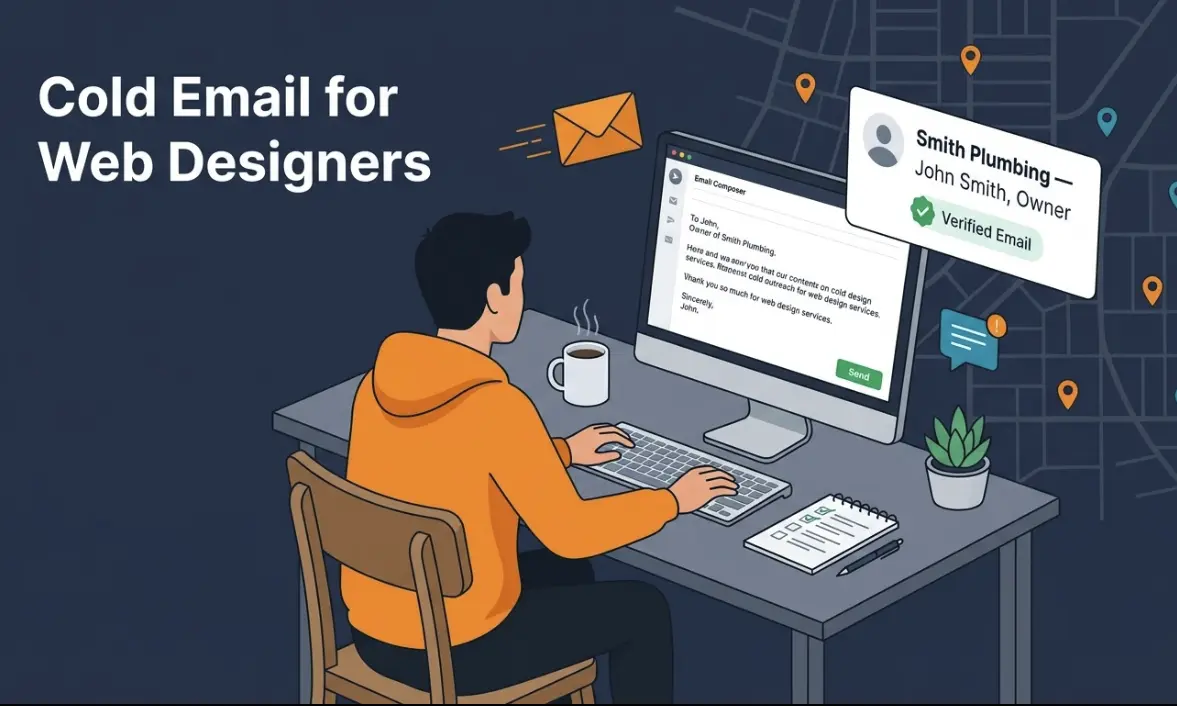
How to Get Web Design Clients Using Cold Email (Step-by-Step Guide)
How to Get Web Design Clients Using Cold Email (Step-by-Step Guide)
Your pipeline is dry.
You're scrolling through Upwork at midnight, competing on price with designers in India. You haven't landed a client through referrals in three months. The marketing agencies you know are too busy to recommend you. And you're tired of the feast-or-famine cycle.
Here's what nobody tells you: the easiest web design clients are literally already identified for you. They're the local businesses with websites that look like they were made in 2008. A broken contact form. Dated design. Slow load times. The owners of those businesses know they need a new website - they just haven't prioritized it yet.
Cold email is the tool that turns that into a conversation.
And unlike Upwork bidding or waiting for inbound, it's a system. You do it once, you can repeat it every week.
This guide walks through the exact workflow: finding those businesses, getting the owner's actual email (not the generic info@), writing a short, specific cold email, and following up. We'll use real examples and tools that actually work.
Agencies scaling the same motion should read how to generate leads for digital agencies and B2B lead generation tools for local prospecting. For email discovery outside this guide, use find email addresses.
Why Cold Email Works (Specifically) for Web Designers
Let me be direct: cold email is not a silver bullet. But it's particularly effective for web design for one reason.
The need is obvious.
When you cold email a plumber, you're guessing whether they need anything. When you cold email a business owner with a bad website? You don't have to convince them they need something. You're confirming what they already know.
Their website looks old. The design is dated. Maybe it doesn't work on mobile. Pages take forever to load. They've been meaning to fix it for two years. When you reach out and say, "Hey, I noticed your site looks like it's due for an update" - you're not introducing a problem. You're introducing a solution to a problem they already feel.
That's the opposite of most cold outreach. You've got the needle on the pain meter already at 5/10. You're just pointing to it.
Second reason: local businesses are easy to identify.
You're not hunting Fortune 500s. You're targeting the auto shop on Main Street, the dental practice three blocks over, the local plumbing company. These businesses are visible on Google Maps. You can see their website from the search result. You can literally judge whether they need your services in 30 seconds.
Compare that to: "Find companies looking to switch accounting software" or "Identify finance directors at mid-market SaaS firms." This is simple. If the website looks old, they're a prospect.
Third: you have a direct decision maker.
The owner of a small local business is usually the person who approved the website in the first place. They care about how it looks. They're not buried in a sales process or buying committee. Email them directly, and you're talking to the person who can actually say yes.
This is why cold email beats Upwork for a freelancer. On Upwork, you compete on price and reviews. You're fighting 200 other bidders. In a cold email campaign, you're reaching out to a specific business with a specific observation about their website. There's no competition in that moment.
Step 1: Find Your Target Businesses (Using Google Maps)
This is the foundation of everything. You need a list of businesses that fit two criteria:
- They have a website (important - we'll explain why in Step 2)
- The website looks old or outdated
Here's the manual process:
Pick a niche and a city.
Don't start too broad. "Web design clients in New York" is too big. "Dental practices in Seattle" or "Auto repair shops in Boston" is right-sized. You'll do one search, get 30-100 prospects, work through them, then repeat in a new city.
Search on Google Maps.
Go to Google Maps, search your niche (e.g. "dentist near Seattle") and scroll through results. Click on each business and check:
- Do they have a website? (Look in their Google Maps card)
- Is the website dated? (Click through, spend 10 seconds. You'll know.)
- Do they look like they're still in business? (Recent reviews, active hours listed)
Take notes.
Create a simple spreadsheet: business name, address, website URL, business type, whether they look like a prospect. You're building a list of 30-50 businesses.
Why this matters: If a business has no website, we can't help you later. We need the domain to find their owner's email. Skip those.
If the website is obviously brand new or professionally designed, skip those too. They probably just paid for a redesign.
The sweet spot: websites that are 3-7 years old, function but look dated, or have obvious issues (slow, not mobile-friendly, broken pages).
Time investment: About 30 minutes per city to build a list of 40-50 prospects.
Next step: Once you have 20-30 good prospects, move to Step 2.
Step 2: Get the Owner's Direct Email (Not info@)
This is where most people get stuck.
They find a business on Google Maps, click their website, and send an email to info@theirsite.com. That email goes to a general inbox, maybe a front desk person. It gets lost. Or it gets marked as spam because thousands of other marketers are doing the same thing.
You need the owner's personal email. Their actual name. Their real email address.
Here's why: If the email subject line is "New website design for [Business Name]" and it lands on the owner's desk (not a general inbox), they read it. The context is personal. It's not a mass email. It's someone who looked at their specific business and their specific website.
How to Find It (The Traditional Way)
Some businesses have the owner's name and email on their site. Check:
- About page
- Contact page
- Footer
- Blog posts (often have author bios)
Try simple patterns. If the owner is John Smith and the domain is smithplumbing.com, try:
Use a free email finder like Hunter.io or RocketReach to verify these addresses. They'll tell you if an email is valid.
Time per business: 3-5 minutes. Most of the time you'll find something.
How to Find It (Using WebLeads)
This is where the tool comes in.
WebLeads automates the hard part. You give it a business type and location. It searches Google Maps and online directories in real time, finds all matching businesses, and returns: name, address, phone, website, reviews, decision makers (names and titles), and verified emails.
Specifically, WebLeads finds the owner's name and role (e.g. "John Smith, Owner") and their email address. The email has been verified via SMTP - meaning it actually works and won't bounce.
This takes 2 minutes instead of 30.
Here's how it works:
- Sign up for WebLeads (trial is plenty to test)
- Create a search: "Dentist" + "Seattle, WA"
- WebLeads searches Maps and online directories and returns matching businesses
- For each business, you get the owner's name, role, and verified email
- Export to CSV and you're done
Discover Plan (free, lifetime): 2 searches, 100 decision maker enrichments, 200 email verifications. Enough to test the workflow and build a list of 50-100 prospects.
Starter Plan ($24/month): 1 search per day, 500 decision maker enrichments per month. Good for doing 1-2 cities per week.
The advantage: You're not manually checking websites and guessing at emails. You have verified email addresses, owner names, and titles. Your outreach lands in the right place.
Step 3: Write the Cold Email (Keep It Short)
This is where most cold emails fail. They're too long. They try to close the sale in one message. They sound like they're written by a marketing robot.
Yours won't be.
Your email has one job: get them to open a conversation. Nothing more.
The Formula (45 words, max)
- One-line observation about their website or business
- Why you reached out (you noticed something specific)
- One-sentence offer (what you do)
- Simple CTA (click a link, reply, or schedule)
Real Example
Hi John,

I noticed your dental practice site hasn't been updated since 2018 - the design's dated, and it's not mobile-friendly.

Patients search on their phones. A modern site could fix that in 3 weeks.

Do you want to talk about it?

Best,
[Your Name]
Word count: 44 words.
Notice what's missing:
- No hype ("I can transform your online presence!")
- No credentials ("I've designed 500+ websites")
- No false urgency ("Limited time offer!")
- No assumptions ("You're probably losing customers")
Just: observation, reason, offer, ask.
Why Short Works
Long emails get skimmed. People are busy. If your email takes more than 15 seconds to read, most won't finish it.
Short emails feel personal. They feel like you actually looked at their site, not like a mass template.
Short emails have a higher reply rate. Studies show emails under 50 words get 2-3x more replies than longer ones.
Customization is the Secret
Every email should mention something specific about their business or website. Not:
- "I help local businesses get new websites"
But:
- "Your site has a broken contact form on mobile, and your competitors' sites load 3x faster"
Specificity proves you actually looked. Generic emails get deleted.
Call-to-Action Options
- Easiest: "Interested in chatting for 15 minutes?" (low friction, they choose)
- Direct: "Does next Tuesday work for a quick call?"
- Soft: "Happy to show you what a redesign could look like"
Pick one. Don't ask for too much in the first email.
Step 4: The Follow-Up Sequence (Keep It Simple)
Most cold emails don't get a response. That's normal. Studies show 2-3% of cold emails get a reply on the first send.
The magic is in the follow-ups.
Follow-Up 1 (3 days later)
Short reminder. Different angle.
Hi John,

Didn't hear back on my last email - no worries, inbox is probably crazy.

I work with dental practices to redesign their sites. Turnaround is usually 3-4 weeks.

If you're interested, let me know. If not, no problem.

Best,
[Your Name]
Word count: 40 words.
Notice: It's shorter than the first email. It doesn't repeat what you said. It just nudges.
Follow-Up 2 (7 days after first email)
Last touch. Then you move on.
Hi John,

Last one - promise.

If you decide to update your site in the next couple months, reach out. I'm here.

Best,
[Your Name]
Word count: 25 words.
This is short enough that it feels like a friendly nudge, not spam.
Should You Send More?
Not usually. Two follow-ups is the sweet spot. Three feels like harassment. After two, if someone hasn't replied, they're not a good fit right now. Move on to the next prospect.
Send Timing
- First email: Tuesday or Wednesday, 10am-2pm (when people check email)
- Follow-up 1: Friday, same time
- Follow-up 2: Next Wednesday or Thursday
Avoid Monday (inbox chaos) and Friday afternoon (people shut down).
Step 5: Tools You'll Need
You don't need much. Keep it lean.
Core Tools
1. WebLeads (for finding prospects and emails)
- Sign up and test with a trial
- When you're ready to scale, Starter plan is $24/month
- Gives you: business info, owner names/roles, verified emails
- Alternative: Manually find businesses on Google Maps + use Hunter.io for emails (slower, but free)
2. Email sending tool (for campaigns at scale)
- Instantly.ai (
$20/month) or Lemlist ($30/month) - These tools help you send volume while avoiding spam filters
- Features: email templates, scheduling, tracking (did they open? click?)
- If you're doing fewer than 10 emails per day, just use Gmail with a spreadsheet
3. A spreadsheet (tracking)
- Name, email, business type, website, date sent, follow-up dates
- Simple. Free. Works.
Optional
- Mailshake or Outreach.io (if you want automation and detailed analytics)
- Clearbit (adds company info to contacts)
- Gmail with Boomerang plugin (free, reminds you to follow up)
Honest take: You don't need fancy tools to start. WebLeads + Google Sheets + Gmail will get you 5-10 calls per month. Once you've validated the workflow, upgrade to Lemlist or Instantly.
Putting It Together: The Full Workflow
Here's what one week looks like:
Monday:
- Open WebLeads, run a search (e.g. "Web Design Agency" + "Austin, TX")
- Export list of 40 businesses with owner emails
Tuesday-Wednesday:
- Send 15 cold emails (45 words each, 30 minutes total)
Thursday:
- Send follow-up #1 to Monday/Tuesday recipients
Friday:
- 2-3 replies come in (typical)
- Reply to each one, ask for a call
- Send follow-up #1 to anyone else who hasn't replied
Next Tuesday:
- 1-2 calls booked
Following Monday:
- Run the same process in a new city
- Send follow-ups to prior week's non-responders
Scaling:
- After 2-3 weeks, you're sending to 50+ prospects weekly
- With a 2% reply rate, that's 1-2 replies per day
- With 3 follow-ups, conversion rate is usually 5-8%
- 50 prospects = 2-4 calls per week = 1-2 new clients per month
This is predictable. Repeatable. Not based on luck or referrals.
Real Numbers: What to Expect
From the data and feedback we've seen from people using this workflow:
| Metric | Realistic |
|---|---|
| Emails sent | 15-30 per week |
| Open rate | 25-35% |
| Reply rate | 2-5% |
| Meeting booked rate | 10-20% of replies |
| Close rate (reply to client) | 30-50% |
| Calls to close one client | 3-5 meetings |
Example: Send 50 emails.
- 12-17 opens
- 1-2 replies
- 0.1-0.4 meetings booked
- After follow-ups, maybe 1-2 calls per week
- 1 in 3 calls converts to a client
Timeline to first client: 2-3 weeks if you're consistent.
Common Mistakes (and How to Avoid Them)
Mistake 1: Email Too Generic
Hi there,

I'm a web designer and I help businesses get beautiful websites.
Let me know if you want to chat.
Why it fails: Could be sent to anyone. Lands in spam folder. 0% reply rate.
Fix: Mention something specific about their site or business.
Your site's not showing up on mobile - let me know if you want to fix that.
Mistake 2: Asking for Too Much
Hi John,

Let me know your thoughts on a quick 30-minute call, and we can talk about your project, budget, timeline, and past design work.
Why it fails: Too much friction. They don't know you. Too many unknowns.
Fix: Ask for 15 minutes. Frame it as a conversation, not a sales call.
Interested in a quick call to discuss?
Mistake 3: No Follow-Up
Sending one email and waiting. Not following up.
Why it fails: Most people need to see your message 3-5 times before they act. One email = no results.
Fix: Send follow-ups. Two, maximum.
Mistake 4: Wrong List
Targeting businesses that have no website, or brand new websites, or websites that are already perfect.
Why it fails: Wrong fit. No pain. No reason to reply.
Fix: Spend 30 seconds on each site before adding them to your list. Skip if you can't identify a real problem.
Mistake 5: Sending Too Many Too Fast
Blasting 100 emails in one day.
Why it fails: Spam filters. Your domain gets blacklisted. Low reply rate. Looks desperate.
Fix: Send 10-30 per day, spread across 2-3 days. Let inbox metrics breathe.
FAQ
Q: Isn't cold email considered spam?
A: If done right, no. You're sending personalized, relevant emails to real businesses. If it's generic or sent to irrelevant people, then yes. The key is specificity and opt-out - include an unsubscribe link to stay compliant.
Q: Won't they just ignore me?
A: Most will. That's why the follow-ups are critical. And why the offer needs to be specific. You're not cold calling a stranger. You're emailing a business owner with a specific observation about their website.
Q: How many emails can I send per day without hitting spam?
A: From a Gmail account, 10-50 per day is safe. If you're sending more, use a tool like Lemlist or Instantly. They warm up your domain and manage sending limits.
Q: Can I use a template for all emails?
A: Yes, for the structure. But change the business name, specific observation, and sometimes the CTA. The template is the skeleton. The personalization is the meat.
Q: What if they say no?
A: Move on. Some will say "not right now." That's fine. Save that for later (6 months). Some will say "I have a designer already." That's also fine. Move on.
Q: Should I offer a discount to close them?
A: Not in the first email. Discounts train clients to shop on price, not value. Close on value first. If they need a discount after you've shown them the work, then discuss it.
Q: How long does this take?
A: 2-3 hours per week to run the full campaign (sourcing, writing, sending, following up). Another 2-3 hours for meetings and sales conversations.
Q: Do I need a fancy website or portfolio?
A: Helps, but not critical. Link to 1-2 portfolio pieces if you have them. Focus on the problem you solve (fast, modern website), not selling your credentials.
Q: What if my email gets no replies?
A: Your list, your email message, or your CTA is wrong. Test one variable at a time:
- Change the observation in your email (try a different angle)
- Change the CTA (ask for a call vs. ask them to click a link)
- Get a new list (try a different city or business type)
Debug before scaling.
The Real Advantage: It's Predictable
The reason cold email beats Upwork and waiting for referrals?
It's predictable.
You control the inputs. More emails = more replies. Better emails = higher reply rate. More follow-ups = more meetings. Meetings with the right people = sales.
Referrals? You have no control. Someone either knows you or they don't. Upwork? You compete on price and luck. Social media? Takes months to build an audience.
Cold email? You run the experiment, test, measure, and repeat.
Week 1: Send 30 emails, get 1 reply. Week 2: Refine the email, send 30 more, get 2 replies. Week 3: Scale to 50 emails, get 3 replies. Month 2: You're hitting 1-2 calls per week consistently.
This is how you build a reliable pipeline.
Get Started Today
You don't need permission or an audience or a perfect portfolio. You just need:
- A list of businesses. (30-50 prospects)
- Their emails. (WebLeads will find them)
- A simple message. (45 words about their website)
- Follow-ups. (2 more touches over 10 days)
Start this week. Target one city. Send 20 emails. Track the replies.
If you get 1-2 replies (2-5% response rate), you know the workflow works. Then repeat. New city, next week.
To build your first list: Start your trial, enough to find and contact 50+ prospects. Trial · No sales call · Cancel anytime.
The businesses with bad websites aren't going to fix them on their own. Someone needs to tell them. That someone could be you.
Key Takeaways
- Find the gap: Businesses with outdated websites know they need help - they're primed
- Get the email: Owner's direct email (not info@) is critical - use WebLeads or manual research
- Write short: 45 words max. Specific observation. Simple ask. No hype
- Follow up: 2 follow-ups are mandatory. Most replies come after the second touch
- Track it: Simple spreadsheet. Measure open rates, reply rates, meetings
- Scale slowly: Send 15-30 per week. Test. Refine. Repeat in a new city
- Repeat: This is predictable. More volume = more meetings = more clients
Cold email isn't magic. It's a system. Run the system, get results.
Build your prospect list in minutes
Search any business type and location. Get owner names, verified emails, and decision maker contacts - ready for cold outreach.
Try WebLeads freeTrial · No sales call · Cancel anytime