7 Outscraper Alternatives for Google Maps Lead Generation (2026)
7 Outscraper Alternatives for Google Maps Lead Generation (2026)
Outscraper does one thing really well: it scrapes Google Maps data on demand and lets you pay for exactly what you use. No monthly subscription, no quota resets, no wasted credits on a plan you only half-use.
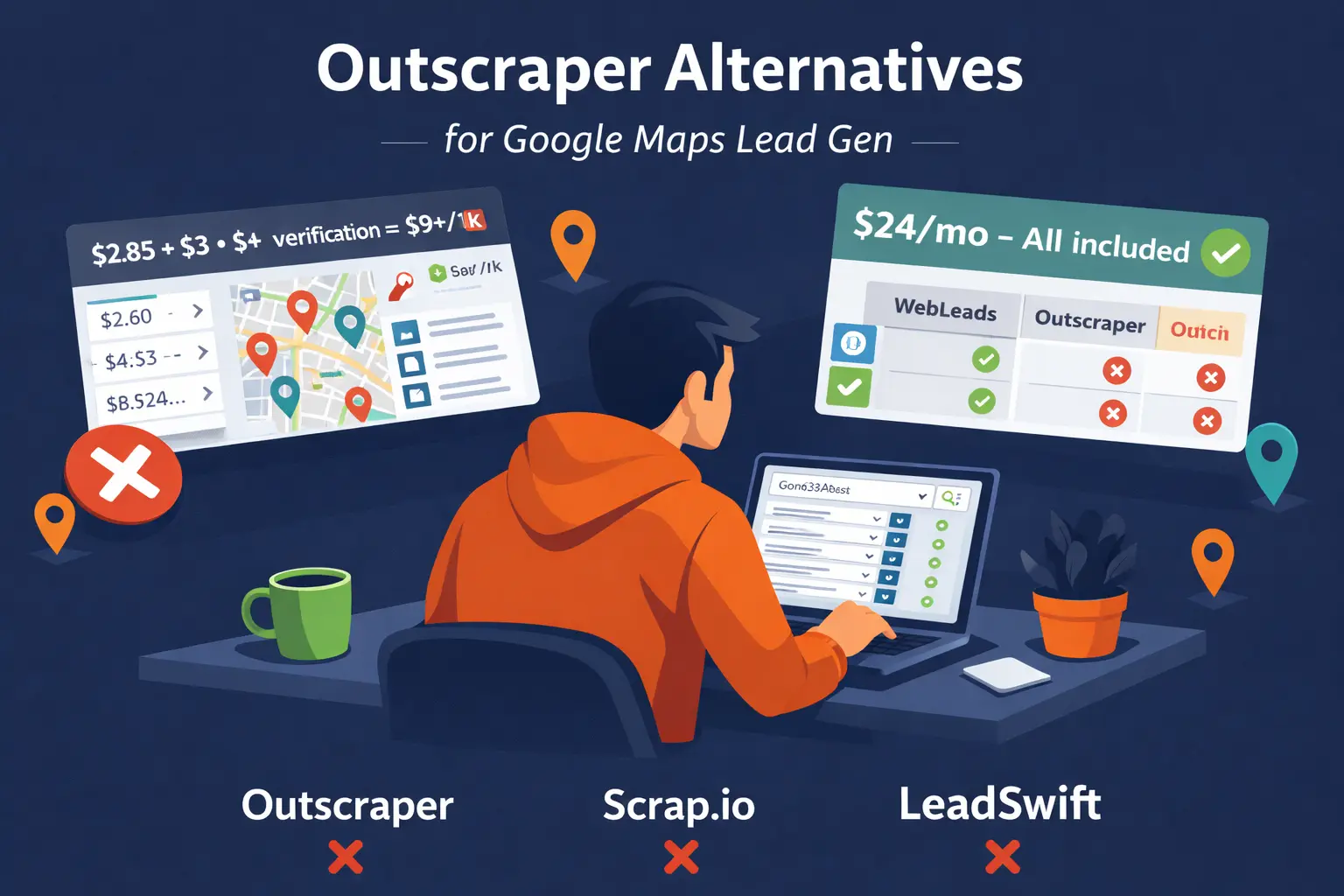
The catch is the enrichment model. Base Maps scraping costs $2.85 per 1,000 businesses. If you want emails, that is another $3. If you want contacts with names, another $3. If you want phone enrichment, another $5. Add email verification on top and you are looking at $9 to $15 per 1,000 records before you have anything ready to send.
For teams doing occasional bulk scraping, the pay-as-you-go model is appealing. For agencies or freelancers who search daily and want decision maker emails with verified contacts, the math often tips in favor of a flat-rate alternative.
This guide compares Outscraper with 7 tools across pricing, decision maker data, complexity, and use case fit.
Quick Comparison Table
| Tool | Starting Price | Data Source | Decision Makers | Email Verification | Best For |
|---|---|---|---|---|---|
| WebLeads | $24/mo | Google Maps + online directories (fresh) | Yes, verified emails | Built-in SMTP | Local SMB cold outreach |
| Scrap.io | $35/mo | Google Maps | No | Not included | Enterprise Maps scraping |
| Apify | $39/mo | Multi-source | No | Not included | Developer scraping platform |
| LeadSwift | $24.99/mo | Maps + Yelp | Names only, no roles | Third-party | Multi-source local data |
| D7 Lead Finder | $44.99/mo | Directory scraping | No | Not included | Simple local lead finding |
| PhantomBuster | $56/mo | LinkedIn, Maps, social | No (Maps only) | Not included | Social and LinkedIn automation |
| Map Lead Scraper | $9.90/mo (annual) | Google Maps | No | Not included | Budget solo use |
1. WebLeads
Best for: Agencies and freelancers doing cold outreach to local businesses who want decision maker emails included.
What Makes WebLeads Different
Outscraper gives you the business record. WebLeads gives you the business record plus the owner name, role, and verified professional email in one action.
The key difference is the decision maker layer. Outscraper's enrichment options include "Contacts and Leads" which finds general contacts for a domain. WebLeads runs a purpose-built pipeline: it identifies the business website, generates likely email patterns for the decision maker specifically (owner, manager, founder), and runs SMTP verification until it finds one that works.
That is one step in WebLeads versus three stacked enrichment charges in Outscraper.
Example: You search "landscaping companies in Phoenix." WebLeads returns each business with name, phone, address, reviews, plus the owner name, role (Owner), and a verified professional email. Ready to contact.
Pricing
| Plan | Price/mo | Daily Searches | Results/Search | People Enrichments/mo | Email Verifications/mo |
|---|---|---|---|---|---|
| Discover (Free) | $0 | 2 lifetime | 500 per search | 100 lifetime | 200 lifetime |
| Starter | $24 | 1 | 800 | 500 | 3,000 |
| Growth | $69 | 3 | 1,500 | 2,500 | 10,000 |
| Scale | $199 | 7 | 2,500 | 7,000 | 30,000 |
Cost Comparison: WebLeads vs Outscraper
For 800 businesses with decision maker emails and verification:
| Scenario | WebLeads | Outscraper |
|---|---|---|
| Base scraping | Included in plan | $2.28 (800 businesses) |
| Decision maker emails | Included (500/mo) | $2.40 (800 contacts enrichment) |
| Email verification | Included (3,000/mo) | Separate cost |
| Monthly total | $24/mo | Variable, plus setup time |
Key Features
- → Real time Google Maps data on every search
- → Decision maker discovery: name, role, verified email
- → SMTP email verification built in
- → Map radius search to define search area precisely
- → CSV and Excel export included
Strengths
- ✅ Decision maker emails included in the plan. Outscraper charges separately for every enrichment.
- ✅ Simple quota pricing. Know exactly what you spend per month.
- ✅ No configuration required. Search and get results.
- ✅ Real time data. Not a cached database.
Weaknesses
- ❌ Not pay-as-you-go. If you only search occasionally, a monthly plan may not suit.
- ❌ Limited to Google Maps. No API for custom data pipelines.
- ❌ Businesses with no website cannot have decision maker emails found.
Who Should Use WebLeads
- → Agencies running daily searches by niche and city
- → Freelancers building targeted prospect lists
- → Anyone who wants decision maker emails without enrichment cost stacking
Want Google Maps leads with decision maker emails?
Search any business type and city. Get verified decision maker emails. No enrichment stacking.
Try WebLeads freeTrial · No sales call · Cancel anytime
2. Scrap.io
Best for: Enterprise teams needing GDPR-compliant Google Maps data at scale.
What Scrap.io Does
Scrap.io is a web platform for real time Google Maps extraction with advanced filtering and compliance features. Unlike Outscraper's per-record model, Scrap.io uses monthly credit bundles. Credits reset each month, so unused credits are lost.
Pricing
| Plan | Price/mo (annual) | Credits/mo |
|---|---|---|
| Basic | $35 | 10,000 |
| Professional | $69 | 20,000 |
| Agency | $139 | 40,000 |
| Company | $350 | 100,000 |
Monthly billing adds 30-40% to these prices.
Key Features
- → Advanced filtering: rating, reviews, claimed status, advertising pixels
- → 195 countries (worldwide Google Maps coverage)
- → Website enrichment at Agency plan and above
- → GDPR compliant (trusted by AXA, EDF, Deliveroo)
- → API access
Strengths
- ✅ Predictable monthly credit model. Easier to budget than per-record pricing.
- ✅ Global coverage. Works anywhere Google Maps has data.
- ✅ Enterprise-grade security and compliance.
- ✅ Advanced filters competitors do not offer.
Weaknesses
- ❌ No decision maker data. Business-level contacts only.
- ❌ Credits reset monthly. No rollover.
- ❌ No email verification included.
- ❌ Higher cost for small teams compared to Outscraper's free tier.
Who Should Use Scrap.io
- → Enterprise teams with compliance and security requirements
- → Agencies running systematic scraping across multiple countries
- → Teams who prefer predictable monthly billing over per-record costs
3. Apify
Best for: Developers building custom scraping pipelines who need more than just Google Maps.
What Apify Does
Apify is a cloud-based scraping platform with over 4,000 pre-built "Actors" including a popular Google Maps Scraper. You pay for compute time rather than per record, which makes it flexible but unpredictable for non-technical users.
Pricing
| Plan | Price/mo | Included Credits |
|---|---|---|
| Free | $0 | $5 compute credits |
| Starter | $39 | $39 compute credits |
| Scale | $199 | $199 compute credits |
| Business | $999 | $999 compute credits |
Additional costs: residential proxies at $7-8/GB, datacenter proxies, storage fees.
Key Features
- → Google Maps Scraper Actor (one of 4,000+ actors)
- → Full API access with webhooks
- → Concurrent runs for large-scale scraping
- → Integrations with Zapier, HubSpot, Make
- → Supports multiple data sources beyond Google Maps
Strengths
- ✅ Maximum flexibility for custom data collection.
- ✅ Scalable. Run thousands of concurrent scraping jobs.
- ✅ Developer-grade infrastructure with SLAs.
- ✅ Access to data sources far beyond Google Maps.
Weaknesses
- ❌ Complex pricing. Compute units plus proxies plus storage.
- ❌ Steep learning curve for non-developers.
- ❌ No decision maker data included.
- ❌ Overkill for straightforward local lead generation.
Who Should Use Apify
- → Engineering teams building multi-source data pipelines
- → Companies with complex scraping needs beyond Google Maps
- → Technical users who need maximum flexibility
4. LeadSwift
Best for: Agencies wanting multi-source data with built-in email automation.
What LeadSwift Does
LeadSwift scrapes business data from Google Maps, Yellow Pages, Bing, Facebook, and LinkedIn in one platform. Unlike Outscraper's API-first model, LeadSwift is a web interface with built-in email sequences and automation.
Pricing
| Plan | Monthly | Annual |
|---|---|---|
| Starter | $24.99/mo | $19.99/mo |
| Professional | $49.99/mo | $39.99/mo |
| Agency | $99.99/mo | $79.99/mo |
Key Features
- → Multiple data sources: Google Maps, Yellow Pages, Bing, Facebook, LinkedIn
- → Email sequencing and follow-up automation built in
- → Employee name and title extraction from LinkedIn
- → Website SEO analysis per business
Strengths
- ✅ Multiple data sources in one platform.
- ✅ Email automation included. No need for a separate tool.
- ✅ Unlimited results per search on all plans.
- ✅ Competitive pricing.
Weaknesses
- ❌ Shows first and last name only. No job titles or decision maker roles.
- ❌ Email verification not built in. Requires third-party setup (ZeroBounce, NeverBounce).
- ❌ LinkedIn data quality varies and can be outdated.
- ❌ Daily search limits (1-20 per day by plan).
Who Should Use LeadSwift
- → Agencies wanting email automation without a separate outreach tool
- → Teams needing broader data sources than Google Maps alone
- → Users who prefer subscription pricing over per-record charges
5. D7 Lead Finder
Best for: Agencies needing high volume of basic local business data.
What D7 Does
D7 Lead Finder is a simple subscription SaaS tool that scrapes local business data from directories. Search by business type and location, get a list with basic contact info. No decision maker data, no email verification.
Pricing
| Plan | Price/mo | Daily Searches |
|---|---|---|
| Starter | $44.99 | 10 |
| Agency | $54.99 | 30 |
| Professional | $119.99 | 100 |
Key Features
- → Social profile extraction (Facebook, Instagram, LinkedIn, Twitter)
- → Google Business ranking data at Agency tier and above
- → FB/Google Pixel detection at Agency tier and above
- → Bulk API access on Professional plan
Strengths
- ✅ Simple workflow. No API configuration or enrichment setup.
- ✅ Good daily search volume on Agency plan.
- ✅ Social data included at all tiers.
- ✅ Transparent subscription pricing.
Weaknesses
- ❌ No decision maker data.
- ❌ No email verification included.
- ❌ Data from directory sources, not live Google Maps.
- ❌ Search limits even at Professional tier.
Who Should Use D7
- → Agencies focused on volume over decision maker precision
- → Teams not running decision maker outreach
- → Users who prefer simple subscription over pay-as-you-go
6. PhantomBuster
Best for: LinkedIn automation and multi-platform social media scraping.
What PhantomBuster Does
PhantomBuster is a no-code automation platform that runs individual scraping scripts called Phantoms. It has Phantoms for LinkedIn, Sales Navigator, Twitter, Instagram, and Google Maps. For local business prospecting via Google Maps, it is one Phantom among many on a platform primarily built for LinkedIn.
Pricing
| Plan | Price/mo | Automation Hours/mo |
|---|---|---|
| Trial | $0 | 14 days |
| Starter | $56 | 20 hours |
| Pro | $128 | 80 hours |
| Team | $352 | 300 hours |
Key Features
- → Google Maps Search Export Phantom for local business data
- → LinkedIn Search Export, Sales Navigator Export, connection automation
- → No-code configuration for each Phantom
- → Scheduling and automation
Strengths
- ✅ Versatile. Works across LinkedIn, Twitter, Instagram, and Maps.
- ✅ No-code setup for non-technical users (compared to Apify).
- ✅ LinkedIn automation is a genuine strength no other tool here matches.
Weaknesses
- ❌ Expensive relative to purpose-built Maps tools. $56/mo for 20 automation hours.
- ❌ Complex setup for each Phantom. Requires LinkedIn cookies, session configuration.
- ❌ No decision maker data from Maps Phantoms.
- ❌ Automation hours limit how much you can extract per month.
Who Should Use PhantomBuster
- → LinkedIn power users running outreach sequences
- → Teams needing multi-platform social automation beyond Maps
- → Users who want no-code automation across multiple data sources
7. Map Lead Scraper
Best for: Budget-conscious solo users needing basic Maps data.
What Map Lead Scraper Does
Map Lead Scraper is a Chrome extension that extracts business data from Google Maps as you browse. Name, phone, email, address, website, and social profiles. No API, no automation, no decision maker data.
Pricing
- Monthly: $19.90/mo (100,000 leads/mo)
- Annual: $9.90/mo billed annually (100,000 leads/mo)
Key Features
- → Browser-native. Runs on any Google Maps search.
- → Bulk export to CSV/XLS.
- → Social media profile links.
- → No setup beyond installing the extension.
Strengths
- ✅ Cheapest option at $9.90/mo annually.
- ✅ No technical setup.
- ✅ Real time data from live Maps.
Weaknesses
- ❌ Chrome only. No API or CLI access.
- ❌ No decision maker data.
- ❌ No email verification.
- ❌ Browser scraping is slow compared to API tools.
Who Should Use Map Lead Scraper
- → Solopreneurs on tight budgets
- → One-off prospecting projects
- → Users who only need basic contact data
Outscraper vs Alternatives: Key Comparisons
Pricing Model
| Tool | Model | Estimate for 800 businesses with emails |
|---|---|---|
| Outscraper | Pay-as-you-go per record + enrichments | ~$7-9 (base + contacts + verification) |
| WebLeads | Monthly quota plan | $24/mo flat (500 enrichments included) |
| Scrap.io | Monthly credits (reset) | $35/mo (10,000 credits/mo) |
| Apify | Compute credits + proxies | Variable, $39/mo base |
| LeadSwift | Monthly subscription | $24.99/mo |
| D7 Lead Finder | Monthly subscription | $44.99/mo |
| PhantomBuster | Automation hours | $56/mo (20h) |
| Map Lead Scraper | Monthly subscription | $9.90/mo (annual) |
Decision Maker Data
| Tool | Decision Makers |
|---|---|
| WebLeads | Name, role, verified professional email |
| Outscraper | Generic contacts (no decision maker roles) |
| Scrap.io | Not included |
| LeadSwift | First and last name only, no roles |
| D7 Lead Finder | Not included |
| PhantomBuster | LinkedIn titles (LinkedIn Phantoms only) |
| Apify | Not included |
| Map Lead Scraper | Not included |
Data Freshness
| Tool | Data Source | Freshness |
|---|---|---|
| Outscraper | Google Maps | Real time |
| WebLeads | Maps + directories | Real time |
| Scrap.io | Google Maps | Real time |
| Apify | Multi-source (Maps actor) | Real time |
| LeadSwift | Maps + Yelp + LinkedIn | Real time |
| PhantomBuster | LinkedIn, Maps | Real time |
| Map Lead Scraper | Google Maps | Real time |
| D7 Lead Finder | Directory scraping | Periodic |
Technical Complexity
| Tool | Complexity |
|---|---|
| Outscraper | Medium (API + enrichment configuration) |
| Apify | High (actors, compute, proxies) |
| PhantomBuster | Medium (Phantom setup, session management) |
| WebLeads | Low (search form, instant results) |
| LeadSwift | Low (web interface) |
| D7 Lead Finder | Low (web interface) |
| Scrap.io | Low-Medium (advanced filters available) |
| Map Lead Scraper | Very low (Chrome extension) |
How to Choose
Choose Outscraper if you want:
- ✅ True pay-as-you-go with no monthly commitment
- ✅ API-first access for programmatic workflows
- ✅ Credits that never expire
- ✅ Variable usage patterns (some months high, some months nothing)
- ✅ Raw Google Maps data without decision maker requirements
Choose WebLeads if you want:
- ✅ Decision maker emails included without extra enrichment charges
- ✅ All-in-one pricing for daily local business prospecting
- ✅ No technical setup required
- ✅ SMTP-verified emails ready for cold outreach
Choose Scrap.io if you want:
- ✅ Enterprise compliance (GDPR, enterprise clients)
- ✅ Advanced filtering beyond basic category search
- ✅ Global coverage across 195 countries
- ✅ Monthly predictable budget
Choose Apify if you want:
- ✅ Maximum developer flexibility
- ✅ Access to 4,000+ scraping actors beyond Google Maps
- ✅ Custom data pipelines at scale
Choose LeadSwift if you want:
- ✅ Multiple data sources beyond Maps
- ✅ Email automation included in the platform
- ✅ Simple subscription pricing
Practical Example: Building a Local Prospect List
Imagine you need 100 verified contacts for web design agencies in Seattle.
With Outscraper:
- Run Google Maps Scraper for "web design agency Seattle"
- Get ~100 business records ($0.29 in base scraping costs)
- Add "Emails and Contacts" enrichment for each ($0.30 for 100 domains)
- Add email verification ($X separately)
- No decision maker names or roles
With WebLeads:
- Search "web design agency" in Seattle in the search form
- Get results in under a minute
- Run people enrichment on your top picks (uses from your 500/mo quota)
- Get owner name, role, verified professional email for each
- Export to CSV
The Outscraper total might be cheaper per record for raw data. Add the enrichments you actually need for a cold email campaign and the gap narrows. WebLeads wins on simplicity and decision maker coverage.
FAQ: Outscraper Alternatives
Q: Is Outscraper free?
A: Outscraper gives you 500 businesses free per month on its free tier. Credits reset every 30 days. Enrichments (emails, contacts, phone) are not free and are charged at their per-record rates even on the free tier.
Q: What is the best Outscraper alternative for non-developers?
A: WebLeads for local business prospecting with decision maker emails. LeadSwift for broader data sources with outreach automation. D7 Lead Finder for basic volume at a flat rate. All three require no API configuration.
Q: Can I get decision maker emails from Outscraper?
A: Not directly. Outscraper's "Contacts and Leads Enrichment" finds general contacts associated with a domain. It does not specifically identify decision makers by name and role, and it does not run SMTP verification on the emails it finds. WebLeads is the tool in this comparison that provides decision maker discovery (name, role, verified email) as a core feature.
Q: Is Outscraper more accurate than WebLeads?
A: Outscraper pulls from Google Maps in real time. WebLeads searches Google Maps and online directories in real time. The difference is what happens next: Outscraper gives you the raw record. WebLeads runs additional processing to find and verify decision maker email addresses. For cold email outreach, WebLeads contacts are more ready-to-use.
Q: Which Outscraper alternative has the best free tier?
A: Outscraper itself (500 businesses/month free). Apify ($5 compute credits free monthly). WebLeads (2 lifetime searches, 10 people enrichments, 20 verifications). Map Lead Scraper has no free tier.
Q: Does Outscraper work for international markets?
A: Yes. Outscraper scrapes Google Maps globally. WebLeads, Scrap.io, and Apify also support international searches. All tools in this comparison except D7 Lead Finder have global coverage.
Want the full feature breakdown and side-by-side comparison?
We have a dedicated page comparing WebLeads vs Outscraper for local lead generation: Outscraper Alternative for Local Lead Gen
Final Verdict
For pure pay-as-you-go scraping: Outscraper wins. No monthly fees, credits that never expire, and API access for developers.
For local prospecting with decision maker emails: WebLeads wins. Decision maker discovery, SMTP verification, and all-in-one pricing without enrichment stacking.
For enterprise-scale compliance: Scrap.io wins. GDPR, advanced filtering, and global coverage.
For developer flexibility beyond Maps: Apify wins. 4,000+ actors and the most customizable infrastructure.
For multi-source data with automation: LeadSwift wins. Maps plus social sources plus email sequences in one platform.
For budget-first solo use: Map Lead Scraper wins at $9.90/mo annually.
Outscraper is a good tool for the right use case. If you need API access, variable usage, or raw Maps data at scale, it is hard to beat. If you want to sit down, search local businesses, and walk away with verified owner emails ready for outreach, the alternatives in this list get you there faster.
Want Google Maps leads with decision maker emails?
Search any business type and city. Get verified decision maker emails. No enrichment stacking.
Try WebLeads freeTrial · No sales call · Cancel anytime