7 PhantomBuster Alternatives for Local Lead Generation (2026)
7 PhantomBuster Alternatives for Local Lead Generation (2026)
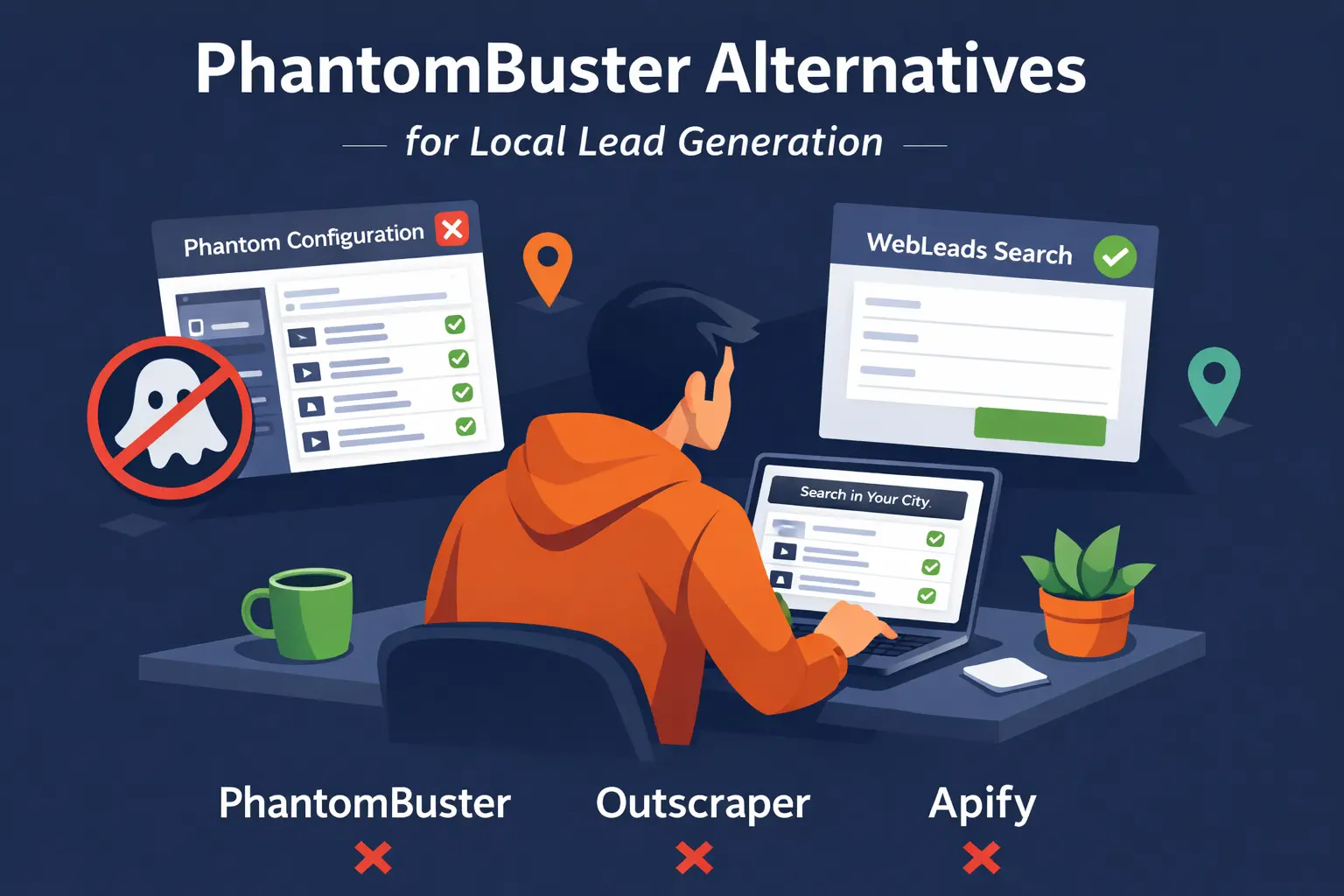
PhantomBuster is a flexible automation platform. You can scrape LinkedIn, Instagram, Twitter, and yes, Google Maps. The problem is that it is built around a concept called "Phantoms": individual automation scripts you configure one by one. For each data source, you pick a Phantom, set up cookies or API keys, configure session limits, and run it on a schedule.
That setup works well for LinkedIn power users who want to automate outreach sequences. For someone who just wants a list of local businesses with owner emails, it is a lot of machinery for a simple job.
This guide is for people searching PhantomBuster alternatives because they are doing local business prospecting, not social media automation. We compare 7 tools that are simpler, more focused, or better priced for finding local business leads.
Quick Comparison Table
| Tool | Starting Price | Data Source | Decision Makers | Email Verification | Best For |
|---|---|---|---|---|---|
| WebLeads | $24/mo | Google Maps + online directories (fresh) | Yes, verified emails | Built-in SMTP | Local SMB cold outreach |
| Outscraper | $2.85/1k | Google Maps | No | Paid add-on | Developers, pay-as-you-go |
| Scrap.io | $35/mo | Google Maps | No | Not included | Enterprise Maps scraping |
| Apify | $39/mo | Multi-source | No | Not included | Developer scraping platform |
| LeadSwift | $24.99/mo | Maps + Yelp | Names only, no roles | Third-party | Multi-source local data |
| D7 Lead Finder | $44.99/mo | Directory scraping | No | Not included | Simple local lead finding |
| Map Lead Scraper | $9.90/mo (annual) | Google Maps | No | Not included | Budget solo use |
1. WebLeads
Best for: Agencies and freelancers doing cold email outreach to local businesses.
What Makes WebLeads Different
WebLeads is purpose-built for local business prospecting. You type a business type and a city. It searches Google Maps and online directories in real time and returns matching businesses with full contact data including decision maker names, roles, and verified professional emails.
No Phantoms to configure. No LinkedIn cookies to manage. No automation scripts to maintain.
Example: Search "HVAC contractors in Denver." You get every matching business with the owner name, role, and a verified professional email. Ready to contact in minutes.
Pricing
| Plan | Price/mo | Daily Searches | Results/Search | People Enrichments/mo | Email Verifications/mo |
|---|---|---|---|---|---|
| Discover (Free) | $0 | 2 lifetime | 500 per search | 100 lifetime | 200 lifetime |
| Starter | $24 | 1 | 800 | 500 | 3,000 |
| Growth | $69 | 3 | 1,500 | 2,500 | 10,000 |
| Scale | $199 | 7 | 2,500 | 7,000 | 30,000 |
Key Features
- → Real time Google Maps data on every search, not a cached database
- → Decision maker discovery: name, role, verified professional email
- → SMTP email verification built in (no third-party integration needed)
- → Map radius search to define your search area
- → CSV and Excel export
Strengths
- ✅ No configuration required. Search and get results in seconds.
- ✅ Decision maker emails with job titles. Most local tools stop at business contacts.
- ✅ Fresh data every time. No stale records from databases built months ago.
- ✅ Predictable quota pricing. Know exactly what you pay for.
Weaknesses
- ❌ Limited to Google Maps. No LinkedIn, Twitter, or social scraping.
- ❌ Businesses with no website cannot have decision maker emails found.
- ❌ Newer product. Fewer integrations than established tools.
Who Should Use WebLeads
- → Agencies prospecting local businesses for SEO, ads, or web services
- → Freelancers building prospect lists by niche and city
- → SDRs who need verified decision maker contacts, not generic info@ emails
Want local leads without the automation complexity?
Search any business type and city. Get contacts and decision maker emails. Fresh data always.
Try WebLeads freeTrial · No sales call · Cancel anytime
2. Outscraper
Best for: Developers and technical teams who want API-first Google Maps data.
What Outscraper Does
Outscraper is a pay-as-you-go cloud platform for scraping Google Maps data. You pay per business record extracted, with optional enrichments (emails, contacts, phone numbers) as add-ons. No monthly subscription. Credits never expire.
Pricing
| Service | Cost |
|---|---|
| Google Maps scraping | Free first 500/mo, then $2.85/1,000 |
| Emails and Contacts | $0.003/domain |
| Contacts and Leads | $0.003/contact |
| Email verification | Separate pricing |
| Phone enrichment | $0.005/phone |
Full enrichment stack: $2.85 + $3 + $3 + verification = roughly $9 or more per 1,000 records.
Key Features
- → Pay-as-you-go, no monthly fees
- → Credits never expire (prepaid model)
- → Full API access with webhooks
- → Pre-made bundles for cold email and cold calling use cases
- → Integrates with Zapier, HubSpot, and Make
Strengths
- ✅ No subscription lock-in. Only pay for what you use.
- ✅ Scalable. Handles millions of records without a fixed plan.
- ✅ Transparent per-unit pricing (when you add it all up).
- ✅ API-first for developer workflows.
Weaknesses
- ❌ Enrichments stack quickly. Base + emails + contacts + verification = $9+/1k.
- ❌ No decision maker data. Finds generic contacts, not owner names and roles.
- ❌ Technical setup required. Better for developers than marketers.
- ❌ Cost is hard to predict if your volume is variable.
Who Should Use Outscraper
- → Developers building in-house lead generation pipelines
- → Teams with sporadic, high-volume scraping needs
- → Companies that need programmatic API access to Maps data
3. Scrap.io
Best for: Enterprise teams needing GDPR-compliant Google Maps scraping.
What Scrap.io Does
Scrap.io is a web-based platform for extracting real time Google Maps data at scale. Advanced filtering, 195 countries, GDPR compliance, and enterprise client list (AXA, EDF, Deliveroo). Credits-based model that resets monthly.
Pricing
| Plan | Price/mo (annual) | Credits/mo |
|---|---|---|
| Basic | $35 | 10,000 |
| Professional | $69 | 20,000 |
| Agency | $139 | 40,000 |
| Company | $350 | 100,000 |
Monthly billing is 30-40% more expensive.
Key Features
- → Advanced filtering: rating, reviews, claimed status, advertising pixels
- → 195-country coverage
- → Website enrichment at Agency tier and above
- → GDPR compliant
- → API access included
Strengths
- ✅ Enterprise-grade security and compliance.
- ✅ Global coverage. Anywhere Google Maps has data.
- ✅ Powerful filtering beyond basic category search.
- ✅ Trusted by major brands.
Weaknesses
- ❌ No decision maker data. Basic business contacts only.
- ❌ Credits reset monthly. Unused credits are lost.
- ❌ Higher cost for solo users and small agencies.
- ❌ No email verification included.
Who Should Use Scrap.io
- → Enterprise teams with compliance requirements
- → Agencies running global campaigns needing country-level data
- → Companies doing large-scale systematic scraping
4. Apify
Best for: Developers who need a flexible scraping platform across multiple data sources.
What Apify Does
Apify is a cloud-based scraping platform with a marketplace of over 4,000 pre-built "Actors" (scraping scripts). The Google Maps Scraper Actor is one of the most popular. You pay for compute time rather than per record.
Pricing
| Plan | Price/mo | Prepaid Credits |
|---|---|---|
| Free | $0 | $5/mo credits |
| Starter | $39 | $39/mo credits |
| Scale | $199 | $199/mo credits |
| Business | $999 | $999/mo credits |
Actual cost per Maps record depends on volume, memory, and proxy usage. Costs can be unpredictable.
Key Features
- → 4,000+ pre-built Actors including Google Maps Scraper
- → Full API access with webhooks
- → Concurrent runs for faster processing
- → Zapier, Make, and HubSpot integrations
- → Residential and datacenter proxies included at extra cost
Strengths
- ✅ Highly flexible. Not just Google Maps.
- ✅ Developer-grade infrastructure with SLAs.
- ✅ Scalable to thousands of concurrent scraping jobs.
- ✅ Large actor marketplace for almost any data source.
Weaknesses
- ❌ Complex pricing. Compute units plus proxies plus storage make costs hard to predict.
- ❌ Steep learning curve for non-developers.
- ❌ No decision maker data out of the box.
- ❌ Overkill for simple local lead generation.
Who Should Use Apify
- → Engineering teams building custom data pipelines
- → Companies scraping multiple sources beyond Google Maps
- → Technical users who want maximum flexibility
5. LeadSwift
Best for: Agencies wanting multi-source data and built-in email automation.
What LeadSwift Does
LeadSwift scrapes business data from Google Maps, Yellow Pages, Bing, Facebook, and LinkedIn. It includes email sequencing and outreach automation. For local lead generation with a multi-channel approach, it has more data sources than most tools.
Pricing
| Plan | Monthly | Annual |
|---|---|---|
| Starter | $24.99/mo | $19.99/mo |
| Professional | $49.99/mo | $39.99/mo |
| Agency | $99.99/mo | $79.99/mo |
Key Features
- → Multiple data sources: Google Maps, Yellow Pages, Bing, Facebook, LinkedIn
- → Email sequence automation built in
- → Employee name and title extraction from LinkedIn
- → SEO analysis and website audits per business
Strengths
- ✅ Multiple data sources beyond Maps.
- ✅ Email automation included in the platform.
- ✅ Unlimited results per search on all plans.
- ✅ Competitive starting price.
Weaknesses
- ❌ Shows first and last name only. No job titles or decision maker roles.
- ❌ Email verification not built in. Requires third-party setup.
- ❌ LinkedIn data can be outdated.
- ❌ Daily search limits (1-20 per day by plan).
Who Should Use LeadSwift
- → Agencies wanting email automation included
- → Teams needing broader data sources beyond Google Maps
- → Users who prioritize multi-source coverage over decision maker accuracy
6. D7 Lead Finder
Best for: Agencies wanting a simple subscription tool for local lead volume.
What D7 Does
D7 Lead Finder is a web-based SaaS tool that scrapes business data from directories. You search by business type and location and get a list of businesses with basic contact info. No decision maker data. No email verification.
Pricing
| Plan | Price/mo | Daily Searches |
|---|---|---|
| Starter | $44.99 | 10 |
| Agency | $54.99 | 30 |
| Professional | $119.99 | 100 |
Key Features
- → Social profile data on all plans (Facebook, Instagram, LinkedIn, Twitter)
- → Google Business ranking data on Agency tier and above
- → FB/Google Pixel detection on Agency tier and above
- → API access on Professional plan only
Strengths
- ✅ Simple workflow. Search, get results, export.
- ✅ Reasonable entry price for 10 searches per day.
- ✅ Social data included at all tiers.
- ✅ No technical setup required.
Weaknesses
- ❌ No decision maker data. Business contacts only.
- ❌ No email verification included.
- ❌ Data freshness lower than real time tools.
- ❌ Search caps even at Professional tier.
Who Should Use D7
- → Agencies needing high volume of basic business contacts
- → Teams not focused on decision maker outreach
- → Users who want a simple subscription over pay-as-you-go
7. Map Lead Scraper
Best for: Solo users on tight budgets who need basic Maps data.
What Map Lead Scraper Does
Map Lead Scraper is a Chrome extension that extracts business data directly from Google Maps as you browse. Install it, search Maps, export results. Basic data: name, phone, email, address, website, social profiles.
Pricing
- Pro Monthly: $19.90/mo (100,000 leads/mo)
- Pro Yearly: $9.90/mo billed annually (100,000 leads/mo)
Key Features
- → Browser-native. Runs inside Chrome on any Maps search.
- → Bulk export to CSV/XLS.
- → Social profile extraction.
- → No setup beyond installing the extension.
Strengths
- ✅ Cheapest option for volume scraping.
- ✅ Zero configuration. Install and use.
- ✅ Real time data from live Maps.
Weaknesses
- ❌ Chrome only. No API, no automation.
- ❌ No decision maker data.
- ❌ No email verification.
- ❌ Slow. Browser scraping is limited by page load speed.
Who Should Use Map Lead Scraper
- → Solopreneurs doing occasional prospect lists
- → Users who need basic data at the lowest possible cost
- → One-off scraping projects without ongoing needs
PhantomBuster vs. These Alternatives: Key Differences
Data Source and Freshness
| Tool | Data Source | Freshness |
|---|---|---|
| PhantomBuster | LinkedIn, Twitter, Instagram, Google Maps | Real time (but session-dependent) |
| WebLeads | Maps + directories | Real time on every search |
| Outscraper | Google Maps | Real time |
| Scrap.io | Google Maps | Real time |
| LeadSwift | Maps + Yelp + LinkedIn | Real time |
| D7 Lead Finder | Directory scraping | Periodic refresh |
| Apify | Multi-source | Real time |
| Map Lead Scraper | Google Maps | Real time |
Decision Maker Data
| Tool | Decision Makers |
|---|---|
| WebLeads | Name, role, verified professional email |
| PhantomBuster | LinkedIn titles and emails (LinkedIn Phantoms only) |
| LeadSwift | First and last name only, no roles |
| Outscraper | Generic contacts, no decision maker roles |
| Scrap.io | Not included |
| D7 Lead Finder | Not included |
| Apify | Not included |
| Map Lead Scraper | Not included |
Pricing Model
| Tool | Starting Price | Model |
|---|---|---|
| WebLeads | $24/mo | Quota-based (searches + enrichments) |
| PhantomBuster | $56/mo | Automation hours |
| Outscraper | $2.85/1k | Pay-as-you-go |
| Scrap.io | $35/mo | Credits (reset monthly) |
| Apify | $39/mo | Compute credits |
| LeadSwift | $24.99/mo | Subscription |
| D7 Lead Finder | $44.99/mo | Subscription |
| Map Lead Scraper | $9.90/mo (annual) | Subscription |
Complexity vs. Simplicity
| Tool | Technical Setup Required |
|---|---|
| PhantomBuster | High (Phantoms, cookies, session management) |
| Apify | High (actors, compute units, proxy configuration) |
| Outscraper | Medium (API configuration, enrichment stacking) |
| WebLeads | Low (search form, instant results) |
| LeadSwift | Low (web interface) |
| D7 Lead Finder | Low (web interface) |
| Scrap.io | Low-Medium (web interface with advanced filters) |
| Map Lead Scraper | Very low (Chrome extension) |
How to Choose
Choose WebLeads if you want:
- ✅ Local business leads with verified decision maker emails
- ✅ No technical setup or automation configuration
- ✅ Real time Google Maps data without managing Phantoms or APIs
- ✅ All-in-one pricing (no enrichment costs stacking up)
- ✅ A tool built specifically for cold email outreach to local businesses
Choose Outscraper if you want:
- ✅ Pay-as-you-go pricing with no monthly commitment
- ✅ API access for custom developer workflows
- ✅ High-volume scraping with scalable credits
- ✅ Flexibility to enable only the enrichments you need
Choose Scrap.io if you want:
- ✅ Enterprise-grade compliance and security
- ✅ Advanced filtering by rating, reviews, claimed status
- ✅ Global coverage across 195 countries
- ✅ Large-scale systematic Maps scraping
Choose PhantomBuster if you want:
- ✅ LinkedIn automation (Sales Navigator exports, connection requests, message sequences)
- ✅ Multi-platform automation beyond Google Maps
- ✅ No-code automation for social media workflows
- ✅ A platform where you control exactly when and how each action runs
Choose LeadSwift if you want:
- ✅ Multiple data sources in one platform
- ✅ Email sequencing automation built in
- ✅ Broad coverage beyond Google Maps
Choose Apify if you want:
- ✅ Developer-grade infrastructure for complex scraping
- ✅ Access to 4,000+ scrapers beyond Google Maps
- ✅ Maximum flexibility and customization
Making the Switch from PhantomBuster
If you have been using PhantomBuster's Google Maps Phantom specifically for local business prospecting, here is what to expect when switching:
Setup time:
- PhantomBuster: 30-60 minutes per Phantom (configuration, LinkedIn cookies if needed, scheduling)
- WebLeads: Under 5 minutes. Search form, instant results.
- Outscraper: 15-30 minutes for basic API setup, longer for enrichment configuration
Data quality: The listing data you get from WebLeads (Google Maps and online directories), Outscraper, and Scrap.io will be comparable to PhantomBuster's Maps Phantom for Maps-sourced runs. The key upgrade with WebLeads is the decision maker layer: instead of just business name and phone, you get the owner name, role, and verified professional email.
Cost comparison: PhantomBuster Starter at $56/mo gives you 20 hours of automation per month. If you are running Maps Phantoms, that translates to a certain number of exports per month. For the same use case, WebLeads Starter ($24/mo) or Outscraper ($2.85/1k) will likely cost less.
Real-World Example: Finding Web Design Prospects in Chicago
With PhantomBuster:
- Find the "Google Maps Search Export" Phantom
- Configure the search query and location
- Set automation schedule and limits
- Wait for the export
- Get a CSV of business names, phones, websites
- Manually find owner emails from each website
With WebLeads:
- Search "web design" + Chicago in the search form
- Get results in seconds
- Click people enrichment on prospects
- Get owner name, role, and verified email
- Export to CSV. Done.
PhantomBuster gives you the data. WebLeads gives you the contact.
FAQ: PhantomBuster Alternatives
Q: Does PhantomBuster have a Google Maps scraper?
A: Yes. PhantomBuster has a "Google Maps Search Export" Phantom that extracts business listings. It works, but it is one of many Phantoms in the platform. It is not the primary focus, and the workflow requires more configuration than a purpose-built Maps scraping tool.
Q: Which PhantomBuster alternative is best for Google Maps specifically?
A: Outscraper and Scrap.io are purpose-built for Google Maps scraping workflows. WebLeads adds online directories alongside Maps plus decision maker email discovery in one product. PhantomBuster's Maps Phantom is a secondary feature on a platform designed primarily for LinkedIn and social media automation.
Q: Is there a free PhantomBuster alternative?
A: Yes. WebLeads offers a 5-day trial with full plan access. Outscraper gives you 500 businesses free per month. Apify offers $5 in free compute credits monthly. Map Lead Scraper has a limited free tier.
Q: Why is PhantomBuster so much more expensive than other tools?
A: PhantomBuster prices based on automation hours ($56/mo for 20 hours). The model is designed for running long LinkedIn automation sequences, not quick Google Maps exports. For pure Maps scraping use cases, you are paying for functionality you do not need.
Q: Does any tool in this list get decision maker emails from Google Maps results?
A: WebLeads is the only tool in this comparison that combines Google Maps and online directory discovery with decision maker email finding. It identifies the business website domain, generates likely email patterns, and runs SMTP verification to return a confirmed working email. Outscraper and Scrap.io return business-level data without owner-specific email discovery.
Q: What is the simplest PhantomBuster alternative for non-technical users?
A: WebLeads and D7 Lead Finder are the most accessible. No API keys, no script configuration, no session management. Type your search, get results, export.
Want the full feature breakdown and comparison table?
We have a dedicated page comparing WebLeads vs PhantomBuster for local business prospecting: PhantomBuster Alternative for Local Lead Gen
Final Verdict
For local business prospecting: WebLeads wins on simplicity, decision maker data, and all-in-one pricing.
For LinkedIn automation: PhantomBuster still leads. If that is your primary use case, alternatives like Kaspr or Evaboot may be better focused.
For developers needing API access: Outscraper for Google Maps specifically. Apify for everything else.
For enterprise scale: Scrap.io for compliance and advanced filtering.
For budget-first solo users: Map Lead Scraper for basic Maps data. Outscraper free tier for 500 businesses per month at no cost.
The right choice depends on whether you need local business data or social media automation. PhantomBuster serves both, but not as well as purpose-built tools serve their individual use case.
Want local leads without the automation complexity?
Search any business type and city. Get contacts and decision maker emails. Fresh data always.
Try WebLeads freeTrial · No sales call · Cancel anytime