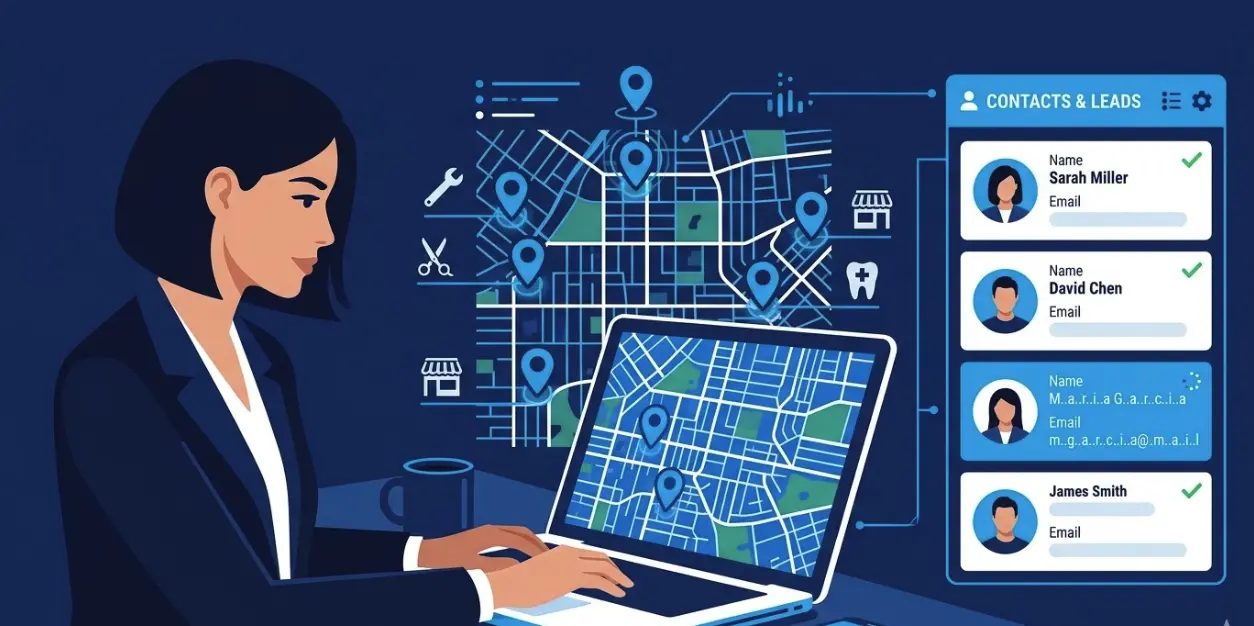
7 Best Sales Prospecting Tools for Local Business Outreach (2026)
Most lists of sales prospecting tools look the same. ZoomInfo. Apollo. LinkedIn Sales Navigator. Cognism. Repeat.
Those are solid tools if you're an enterprise SDR chasing mid-market SaaS companies. But if your prospecting targets are local businesses (plumbers, marketing agencies, dental practices, restaurants, contractors), most of those tools are overkill, poorly matched, or just expensive for what you get.
Local business prospecting has different requirements:
- You need fresh data, not a database assembled 18 months ago
- You need contact info for the actual owner or manager, not a generic info@ email
- You need to be able to search by location and business type, not just company name or industry code
- You often don't have a $10,000/year tool budget
This post covers seven sales prospecting tools actually worth considering for local outreach. Some are enterprise-grade. Some are built specifically for local. For each, we've pulled current pricing directly from their websites and focused on the one question that matters most: does it actually help you find and contact local businesses?
See also the expanded roundup best sales prospecting tools. When you are comparing enterprise databases head-to-head, read Apollo vs ZoomInfo. For SMB-focused ZoomInfo substitutes, start with the ZoomInfo alternatives article, then the comparison landing page if you want tables and pricing side by side.
What to look for in a sales prospecting tool for local outreach
Before the list, a quick framework. Not all prospecting tools are built the same way, and the architecture matters a lot for local prospecting.
Database model vs. real-time collection
Most prospecting platforms maintain a static database: they crawl the web, collect business data, and store it. You're searching a snapshot, not live data. That snapshot can be months or years old. For national brands with stable org structures, this is fine. For local businesses (where a 2-person plumbing company changed owners six months ago), it's a problem.
Real-time tools collect fresh data when you run a search. Slower, but more accurate for local.
Geographic search
Can you search by city, zip code, or radius? Or only by company name and industry? For local prospecting, geographic filtering is essential.
Decision maker access
Generic contact pages and info@ emails are mostly useless for outreach. You want the name, role, and direct email of the person who actually makes buying decisions. How each tool handles this varies significantly.
Pricing model
Enterprise tools charge per seat per year, often with credit limits on top. Smaller tools tend to use usage-based pricing or simple monthly plans. For a sales rep or small agency running local outreach, the pricing model matters as much as the feature set.
Ready to build a local prospect list?
Search any business type and location. Get fresh contacts and decision maker emails in minutes.
Try WebLeads freeTrial · No sales call · Cancel anytime
7 sales prospecting tools for local business outreach
1. WebLeads
WebLeads is built specifically for local business prospecting. The core workflow: enter a business type and location, and WebLeads pulls fresh listing data from Google Maps and online directories: business name, address, phone, website, reviews, social profiles, and decision maker contacts.
The key differentiator is that data is collected in real-time on every search, not pulled from a stored database. That means when you search for "roofing companies in Dallas," you're getting current results, not a list assembled a year ago.
Decision maker discovery works by finding the business's domain, generating likely email patterns, and running SMTP verification until one confirms. So you get a verified direct email, not a guess.
What it covers:
- Business name, address, phone, website, reviews
- Decision makers with name and role (Owner, Manager, etc.)
- Verified direct emails for decision makers
- Other emails found on-site (contact@, team@ etc.)
- Email confidence scoring and full SMTP verification
- Export to CSV, Excel, or Google Sheets
- Map-based radius search
What it doesn't cover:
- Intent data or technographics
- LinkedIn profiles or job change alerts
- CRM integrations (on the roadmap)
- Businesses with no website (no domain, no DM email)
Best for: Sales reps, freelancers, and agency teams prospecting local businesses for cold outreach.
Pricing: Paid plans from $24/month, each starting with a 5-day trial.
2. Apollo.io
Apollo is one of the most popular all-in-one prospecting platforms. It has a database of over 300 million contacts, multi-channel outreach tools, AI-powered sequencing, and a free tier that's actually usable.
For local business prospecting, Apollo works reasonably well if the businesses you're targeting have some digital presence and show up in their database. The problem is that Apollo's database skews heavily toward tech companies, mid-market firms, and US enterprise. Smaller local businesses (the independent plumber, the regional dental chain, the boutique agency) are underrepresented or have stale data.
The filtering is solid: you can narrow by industry, company size, location, revenue, and dozens of other signals. It won't give you a "show me all roofing contractors in Phoenix" search the way a Google Maps-based tool does, but for outreach to local marketing agencies, law firms, or other businesses with established LinkedIn presence, it performs well.
What it covers:
- Large B2B contact database (300M+ records)
- Email sequences and outreach automation
- AI email writing and lead scoring
- Chrome extension for LinkedIn prospecting
- CRM integrations (HubSpot, Salesforce, Pipedrive)
What it doesn't cover:
- Real-time local business data
- Comprehensive coverage of small/local businesses
- Map-based or radius search
Best for: Teams prospecting a mix of local and national accounts, especially agencies or B2B service providers.
Pricing: Free plan available. Paid plans from $59/month per user.
Looking for a more local-focused option? See our full Apollo.io alternatives for local lead generation breakdown.
3. Hunter.io
Hunter specializes in finding and verifying email addresses. The core product: enter a company domain, get the email addresses associated with it. It also has a bulk finder, email verification, and cold email sequence tools.
Hunter doesn't have a local business discovery feature. You need to bring your own list of companies and domains. That makes it more of a data enrichment tool than a prospecting tool. If you've already identified which local businesses you want to contact (say, from a Google Maps search) and need to find their emails at scale, Hunter is a solid option.
What it covers:
- Email discovery by domain
- Bulk email finding and verification
- Email campaign sequences
- Chrome extension for quick lookups
What it doesn't cover:
- Business discovery or geographic search
- Decision maker names or roles
- Phone numbers or social profiles
Best for: Enriching an existing list of local businesses with email contacts.
Pricing: Free plan (25 searches/month). Paid plans from €49/month.
4. LinkedIn Sales Navigator
Sales Navigator gives you access to LinkedIn's database of 500+ million professionals, with advanced search filters and InMail messaging. For prospecting businesses where you need to reach a specific person by role (e.g., "Head of Marketing at agencies with 10-50 employees in Chicago"), it's hard to beat.
For local business prospecting, it's more complicated. Most small local businesses (the contractors, the accountants, the independent retailers) either don't have a LinkedIn presence or have sparse, outdated profiles. The owner of a plumbing company isn't necessarily on LinkedIn. You'll find good coverage for professional services and agencies, but thin coverage for trades and local retail.
What it covers:
- 500M+ professional profiles
- Advanced filters (role, seniority, company size, industry, location)
- InMail and connection request outreach
- Lead list saving and alerts for job changes
- CRM integrations
What it doesn't cover:
- Local businesses with no LinkedIn presence
- Phone numbers, other email addresses, website data
- Geographic radius search
Best for: Prospecting local professional services (agencies, consultants, law firms, accountants) where decision makers are active on LinkedIn.
Pricing: Core plan at $99/month per user.
5. ZoomInfo
ZoomInfo is the enterprise standard for B2B data. Large database, deep enrichment, intent signals, org charts, technographics. Also enterprise pricing: it starts at several thousand dollars per year and scales up significantly.
For local business prospecting, the same problem as Apollo applies: ZoomInfo's coverage is strongest for mid-market and enterprise, weaker for small and local businesses. If your targets are regional businesses with 10-100 employees (a chain of dental clinics, a regional insurance agency, a multi-location HVAC company), ZoomInfo can be effective. If you're targeting the solo plumber or the three-person web agency, coverage gets thin.
What it covers:
- Massive B2B database with deep enrichment
- Intent data and buying signals
- Org charts and contact hierarchies
- Multi-channel engagement tools
- CRM integrations
What it doesn't cover:
- Small/solo local businesses
- Real-time or freshness guarantees
- Geographic radius or map-based search
Best for: Teams with budget prospecting established local businesses with 10+ employees.
Pricing: Custom quotes only. Typically $10,000-$40,000+/year depending on team size and features.
For local SMB lists, ZoomInfo alternatives explains why teams switch to Maps-first workflows.
6. Outscraper
Outscraper is a Google Maps scraping service. You define a search (business type + location), and it pulls the available Google Maps data: name, address, phone, website, email (if publicly listed), ratings, and reviews.
It's a more technical tool than most on this list, built for developers and data teams rather than sales reps. There's no built-in outreach, no email finding or verification pipeline, and no decision maker discovery. What you get is raw Google Maps data in bulk.
For teams that want to handle the prospecting data work themselves (enrich in another tool, import to their own CRM), Outscraper is a solid data source. For sales reps who want a complete workflow, it leaves a lot of work undone.
What it covers:
- Google Maps business data at scale
- Address, phone, email (when listed publicly), reviews, website
- API access and bulk exports
What it doesn't cover:
- Decision maker discovery or email finding
- Email verification
- Outreach features
Best for: Data/ops teams building their own enrichment pipeline from Google Maps data.
Pricing: Usage-based, starting from $0.001 per result. No fixed monthly cost.
7. D7 Lead Finder
D7 is a local lead generation tool similar in concept to WebLeads. You search by keyword and location, and it returns business listings with contact info. It's been around longer and has broader data source coverage.
The main limitation is data freshness: D7 pulls from a mix of sources, some of which are directories with stale data rather than live crawls. Coverage varies significantly by country and industry. Decision maker data is limited compared to tools that do active email pattern discovery.
What it covers:
- Local business search by keyword and location
- Business name, phone, email, website
- Multiple data sources
- CSV export
What it doesn't cover:
- Decision maker emails with name + role
- Email confidence scoring or SMTP verification
- Map-based or radius search
Best for: Quick bulk pulls of local business contact info where data freshness isn't critical.
Pricing: From $29.90/month.
Side-by-side comparison
| Tool | Local business search | Decision maker emails | Data freshness | Starting price (March 2026) |
|---|---|---|---|---|
| WebLeads | Yes (type + location + map radius) | Yes (name, role, verified email) | Real-time per search | Free / $24/mo |
| Apollo.io | Partial (database search) | Yes (B2B contacts) | Database (can be stale) | Free / $59/mo |
| Hunter.io | No (domain lookup only) | Email only, no roles | Database | Free / €49/mo |
| LinkedIn Sales Nav | Partial (LinkedIn only) | Yes (LinkedIn profiles) | LinkedIn data | $99/mo |
| ZoomInfo | Partial (enterprise skew) | Yes (deep enrichment) | Database | $10,000+/yr |
| Outscraper | Yes (Google Maps) | No | Real-time | Usage-based |
| D7 Lead Finder | Yes (keyword + location) | Limited | Mixed sources | $29.90/mo |
How to choose
If you're prospecting local businesses at volume and need decision maker emails with names and roles, a tool that does real-time Maps and directory listing collection plus email discovery (WebLeads, or Outscraper + Hunter.io combined) will give you fresher, more complete data than a traditional B2B database.
If your local targets are professional services (agencies, law firms, accountants, consultants) where decision makers are active on LinkedIn and have an established digital presence, Apollo or LinkedIn Sales Navigator will cover them well.
If you have budget and prospect a mix of local and national accounts, ZoomInfo or Apollo give you the broadest coverage, even if local data isn't their strongest suit.
If you just need raw Google Maps data and plan to enrich it yourself, Outscraper or D7 give you the volume without the monthly commitment.
The common mistake is defaulting to the biggest, most well-known tool. Apollo and ZoomInfo are excellent for what they're designed for. They're just not designed for someone who needs to find all the HVAC contractors in a 50-mile radius with a decision maker email and a phone number.
Ready to build a local prospect list?
Search any business type and location. Get fresh contacts and decision maker emails in minutes.
Try WebLeads freeTrial · No sales call · Cancel anytime
FAQ
What is a sales prospecting tool?
A sales prospecting tool helps you identify and contact potential customers before any sales conversation has started. For B2B sales, that typically means finding businesses that match your ICP, getting contact information for decision makers, and either exporting that data to a CRM or reaching out directly through the tool.
What's the best sales prospecting tool for local businesses?
It depends on your workflow. If you need to search by business type and location with fresh data and decision maker emails, WebLeads is purpose-built for this. If your local targets tend to be professional services with LinkedIn presence, Apollo or Sales Navigator are strong. For raw Google Maps scraping at scale, Outscraper works well for technical teams.
Are free sales prospecting tools worth using?
Yes, for limited use cases. Apollo's free tier gives you 50 email credits per month, useful for small-scale testing. WebLeads' 5-day trial gives you full plan access, enough to validate whether local prospecting data is useful for your business before committing to a plan.
How do I find decision maker emails for local businesses?
The most reliable method is domain-based email pattern generation with SMTP verification. You find the business's domain (from their website), generate the likely email patterns for the person you're targeting (first@, firstlast@, f.last@, etc.), and run SMTP checks to confirm which one is real. Tools like WebLeads do this automatically as part of people enrichment.
What's the difference between a prospecting tool and a CRM?
A prospecting tool helps you find and qualify new leads. A CRM helps you manage relationships with leads and customers you're already working with. Most sales workflows use both: a prospecting tool to build the initial list, then a CRM to track the outreach process. Some tools like Apollo blur the line by including CRM-lite features alongside their prospecting database.
How accurate is Google Maps data for sales prospecting?
Google Maps is one of the most regularly updated business directories available, which is why it's the primary data source for local prospecting tools. Accuracy is generally high for basic business info (name, address, phone, category). Email accuracy depends on what's publicly listed on the business's website. Decision maker emails found through pattern discovery and SMTP verification are confirmed working at the time of the search.